Silhouette - Image Maker App
Silhouette - Image Maker App Summary
Silhouette - Image Maker App is a ad-supported, with in-app purchases iOS app in Photo And Video by TAIKI HIRATA. Released in Oct 2014 (11 years ago). It has 24 ratings with a 3.29★ (mixed) average. Based on AppGoblin estimates, it reaches roughly 12 monthly active users and generates around $<10K monthly revenue (22% IAP / 78% ads). Store metadata: updated Sep 11, 2025.
Store info: Last updated on App Store on Sep 11, 2025 .
3.29★
Ratings: 24
Screenshots


App Description
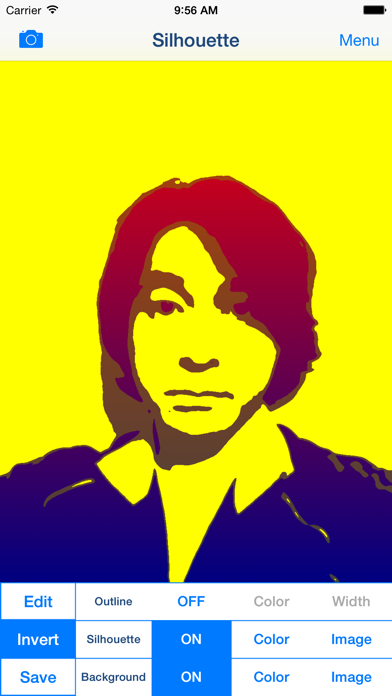
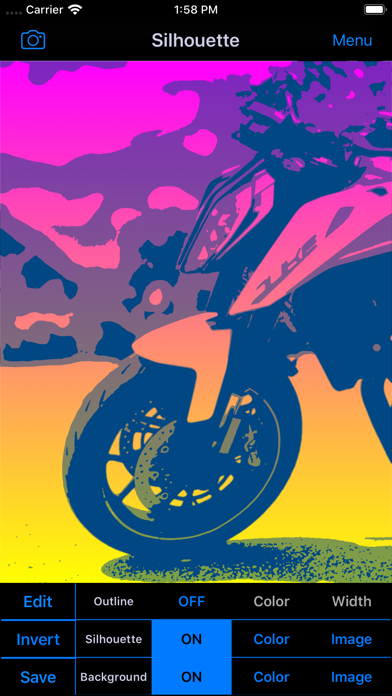
Let's create Cool Silhouette Art like advertising posters and TV CM!
You will be able to create cool silhouette art easily!
You will be able to merge photos to silhouette image!
You will be able to collage pattern picture to silhouette image!
Let's share your cool silhouette art with your friends by using Facebook, Twitter, Instagram and other SNS!
Silhouette - Silhouette Effects Image Blender and Shadow Collage Picture Maker Free Photo Editor Apps -
■Description of App
"Silhouette" is the free photo editor apps for creating silhouette effects image and collage picture.
You will be able to edit your photo or image and create silhouette effects image easily by this photo collage editor apps.
You will be able to create artistic image from your photo or image by blending photo or image from photo album or camera to silhouette effects image.
In addition, you can edit silhouette effects image like collage using various pattern image which is incorporated in the apps.
*You can save only one image that used blender effect or used pattern image per day. You can remove the restriction by purchasing "Additional Functions" Add-on in In-App Purchase.
You can create image with transparent background like stamp from your photo by hiding the background.
You can use pattern image of 155 type to edit your photo and image.
In addition, you can use pattern image that saved in the photo album of your device.
I plan to add new pattern image in the future.
■Function List
1. Extraction of Outline.
○You can extract outline from photo or image.
○Outline is hidden in the initial state.
○When you edit silhouette effects image from the photo with little contrast, you might be able to extract the silhouette relatively cleanly by using outline.
○You can edit outline color and outline width.
○You can hide outline.
2. Create Silhouette Effects Image
○You can create silhouette effects image from your photo or image.
○This is main function of this photo editor apps.
○You can edit silhouette color, silhouette threshold, silhouette transparency and silhouette smoothness.
○You can merge photo or image from photo album or camera as silhouette inner image.
○You can collage pattern image as silhouette inner image.
○You can invert and hide silhouette.
3. Edit Silhouette Background
○You can edit background of silhouette.
○You can edit background color.