Background Eraser 〜 Stickers

Background Eraser 〜 Stickers Summary
Background Eraser 〜 Stickers is a free, ad-supported iOS app in Photo And Video by handyCloset Inc.. Released in Oct 2014 (12 years ago). It has 431K ratings with a 4.74★ (excellent) average. Based on AppGoblin estimates, it reaches roughly 297K monthly active users and generates around $10K+ monthly revenue (0% IAP / 100% ads). Store last updated Jan 15, 2026
Recent activity: 89 new ratings this week View trends →
SDK intelligence: AppGoblin detected 2 development tools(e.g. Google), 1 ad networks,and 1 analytics: product integrated into Background Eraser 〜 Stickers. View full SDK list →
Background Eraser 〜 Stickers SDKs Summary
Background Eraser 〜 Stickers was last scanned for SDKs on 2026-07-26. Below is the overview of third-party companies detected in the app. The full list of SDKs, permissions and unknowns is available here.
 Google
 nanopb
 Firebase
4.74★
Ratings: 431K
Screenshots
App Description
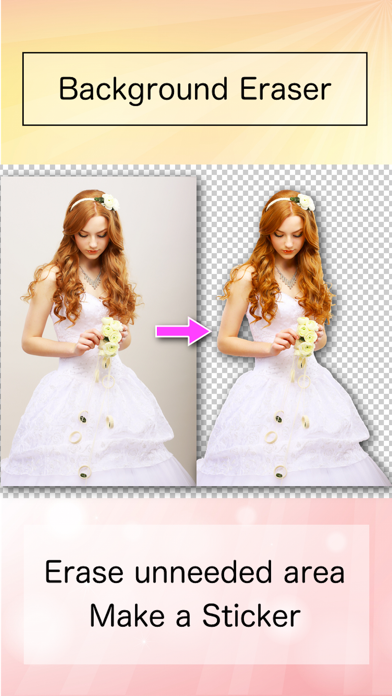
◇ Background Eraser helps you cut pictures and make a picture’s background transparent.
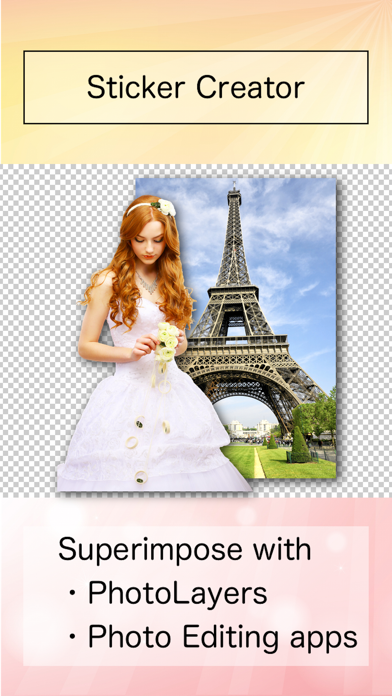
◇ Use the results as stickers in other apps, such as PhotoLayers, for photomontage, collage, and composite photos.
◇◇◇ Features ◇◇◇
◇ Automatic AI cutout for background transparent images.
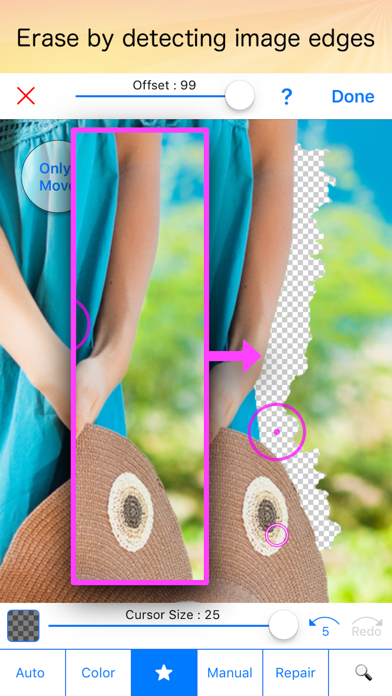
◇ “Star” mode
- Detects image edges to erase more easily and accurately.
◇ “Auto” mode
- Erases similar pixels automatically.
Accurate background transparent cutouts are essential when you want to superimpose photos and create high-quality composite photos.
This app helps you make clean cutouts quickly and easily.