FingerID Password Memo

FingerID Password Memo Summary
FingerID Password Memo is a with in-app purchases iOS app in Productivity by Hyunmin Park. Released in Nov 2014 (11 years ago). It has 3.00 ratings with a 3.67★ (average) average. Based on AppGoblin estimates, it reaches roughly 11 monthly active users and generates around $<10K monthly revenue (100% IAP / 0% ads). Store metadata: updated Jan 11, 2018.
Store info: Last updated on App Store on Jan 11, 2018 .
3.67★
Ratings: 3.00
Screenshots

App Description
This app will protect your valuable information quickly and safely by applying fingerprint recognition.
And various attachments for memo (pictures, picture, voice) can be easily created.
You can send the contents and memos easily in a variety of ways.
In addition, various methods of sort and search memos that make the efficient management of the memos.
Specification
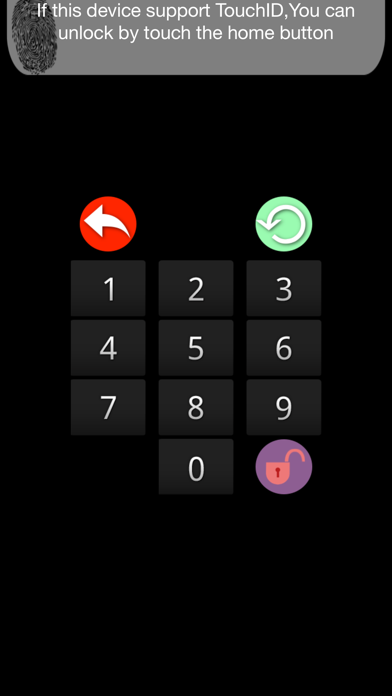
1. Input your passwords easily and then protect your valuable information.
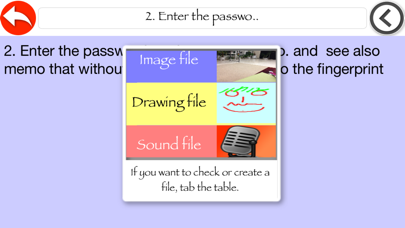
2. Enter the password, and see your memo. and see also memo that without a password entered into the fingerprint
3. You can create three kind of files on each memo.
4. In memo, take pictures with the camera or attach a photo taken from a photo album. and you can see on each memo.
5. There is also attached to a hand-drawn image. and you can see on each memo.
6. Record your voice and attached to your memo (.m4a file)and you can listen to the audio file on each memo.
7. you can set the background color of each memo and save it separately.
8. Each memo with attached files can send to others by iMessage, E-mail, Photo album, Facebook, Twitter, Airdrop.
9. Each memo with attached files can be transferred to the IPhone, IPad, the MacBook Air drop is possible.
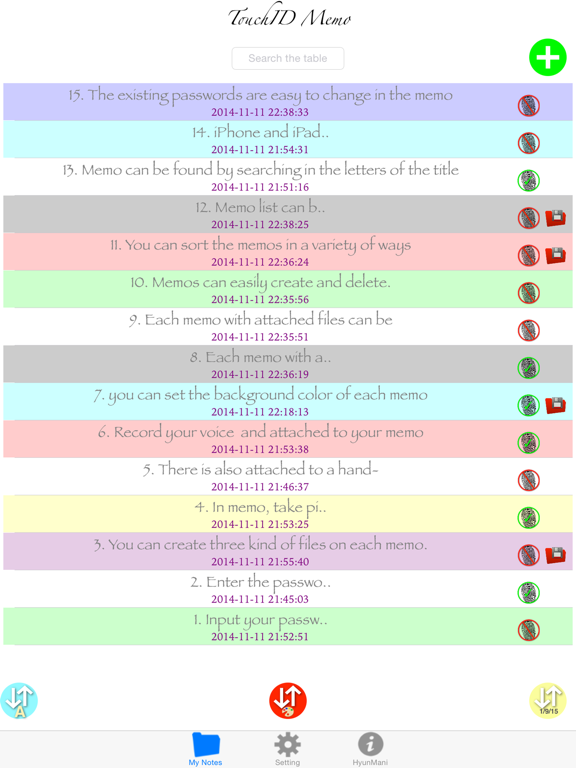
10. Memos can easily create and delete.
11. You can sort the memos in a variety of ways.
12. Memo list can be sorted by title name order, created date order, modified date order and color order.
13. Memo can be found by searching in the letters of the title.
14. iPhone and iPad both support and corresponds to the rotation device.
15. The existing passwords are easy to change in the memo.