Teleprompter

Teleprompter Summary
Teleprompter is a free, with in-app purchases iOS app in Productivity by Teleprompter Apps Ltd. Released in Feb 2015 (11 years ago). It has 111K ratings with a 4.82★ (excellent) average. Based on AppGoblin estimates, it reaches roughly 283K monthly active users and generates around $10K+ monthly revenue (100% IAP / 0% ads). Store last updated Oct 6, 2026
Recent activity: 231 new ratings this week View trends →
SDK intelligence: AppGoblin detected 3 development tools(e.g. Google), 2 business tools, 1 ad networks,and 1 analytics: product integrated into Teleprompter. View full SDK list →
Teleprompter SDKs Summary
Teleprompter was last scanned for SDKs on 2026-08-10. Below is the overview of third-party companies detected in the app. The full list of SDKs, permissions and unknowns is available here.
 Google
 nanopb
 OpenID
 Firebase
 RevenueCat
 Intercom
4.82★
Ratings: 111K
Screenshots



App Description
Turn your device into a Teleprompter for free... Teleprompter is the best free teleprompter app used by creators and studios including Netflix, ABC, CBS, BBC, Fox, ITV, Channel 4, UKTV and many more.
Engineered for real-world reliability, Teleprompter is packed with everything you'll need for your content, production or presentation.
Available for Free:
• Compose, create, and manage unlimited scripts with NO character or length limits
• Adjust text size, font, and colour to suit your setup
• Import (up to 5) documents in Word, PDF, .txt, and .rtf formats from any app
• Record videos using your device camera while reading from the Teleprompter
• Save recorded videos directly to Photos or share to apps like Instagram, YouTube, and TikTok
• Apply real-time video effects (Virtual Backgrounds, portrait mode)
• Scripts scroll smoothly with easy speed control
• Scroll up to 120Hz on ProMotion devices
• Use any font installed on your device for your teleprompter scripts
• Basic control options from connected keyboards and controllers
• Export and share scripts easily, or save as backup files
• Add cue points to jump to specific parts of your script
• Add a countdown timer before scrolling begins
• Re-arrange scripts by title, date, or custom order
• AirDrop scripts to nearby devices
• (Optional) Synchronise your scripts across all your devices automatically via cloud sync
• Use Timed Scrolling to scroll your script over a set duration
• Display elapsed and remaining time based on scroll speed
• Display a reading guide arrow or line with customisable style and position
• Set custom default settings (font, colour, layout) for new and imported scripts
• Display your scripts full screen by hiding the controls while scrolling
• Set a custom background colour behind your script
• Adjust side margins to reduce eye movement or fit beam splitter glass
• Select between "Continuous" or "Paging" scroll modes
• Use the Teleprompter while participating in video meetings (e.g., Zoom or Google Meet)
• Use Slide Over or Split View on iPad to multitask with other apps
Extra features available with the optional Pro upgrade:
• Import unlimited documents in Word, PDF, .txt, and .rtf formats from any app
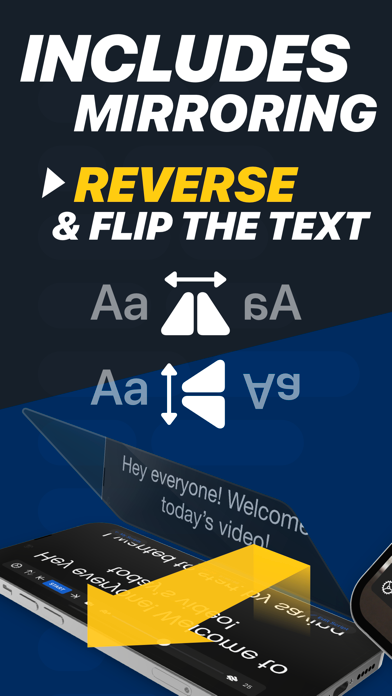
• Mirror or reverse the text for use in professional on-camera Teleprompter rigs
• Control the Teleprompter from any web br