ONLYOFFICE Documents

ONLYOFFICE Documents Summary
ONLYOFFICE Documents is a free iOS app in Productivity by Ascensio System SIA. Released in Apr 2015 (11 years ago). It has 1.2K ratings with a 3.71★ (average) average. Based on AppGoblin estimates, it reaches roughly 3.1K monthly active users . Store last updated May 28, 2026
Recent activity: 2.00 new ratings this week View trends →
ONLYOFFICE Documents SDKs Summary
App not yet scanned for SDKs.
3.71★
Ratings: 1.2K
Screenshots


App Description
ONLYOFFICE Documents - Your mobile office for iOS
ONLYOFFICE Docs for iOS is a free office app allowing you to create and edit documents, spreadsheets, presentations, forms, and PDFs on your iPhone or iPad. Work locally or connect the app to your favourite cloud: ONLYOFFICE DocSpace or Workspace, Dropbox, Box, iCloud, Nextcloud, ownCloud, or kDrive.
ONLYOFFICE Documents for iOS offers wide format compatibility from MS Office formats (DOCX, XLSX, PPTX) to Apple files (Pages, Numbers, Keynote), Hangul Word Processor formats (HWP, HWPX), ODG drawings, Markdown files, and even media files.
Connect to your DocSpace hub to collaborate with your teammates in real time. Leave comments, track changes, manage versions, and assign flexible permissions for viewing, commenting, or editing. You can also share documents with external collaborators via link, accept or reject their changes, and fill out role-based forms in secure Virtual Data Rooms (VDRs).
Scan paper documents with your camera, extract text, and convert them into editable files.
With powerful collaboration features and superb format compatibility, ONLYOFFICE Documents helps you stay connected and efficient on the go.
Key features for better produсtivity
Real-time collaboration
• Comment, track and review changes
• Fill out role-based forms in VDR
• Control access with read, review, or full rights
• Easy sharing, even with external collaborators
Document Editor
• Insert tables, autoshapes, images, charts
• Recognize handwritten text to create notes
• Add graphic annotations and markup
• Insert footnotes, endnotes, page numbers, section breaks
• Set font type, size, and colour
• Change text wrapping
• Protect documents with a password
Spreadsheet Editor
• Select, cut, copy, paste data
• Set font type, size, and colour.
• Apply cell style, add cell borders, align data in cells
• Wrap text in a cell.
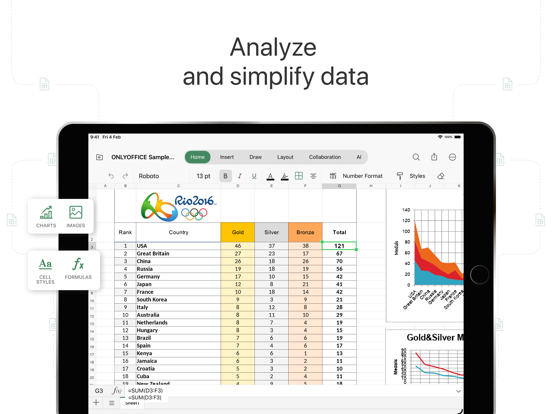
• Insert tables, autoshapes, images, charts, formulas
• Resize, move, rotate objects, reshape autoshapes
• Add annotations and free-hand drawings
• Protect spreadsheets with a password
• Sort and filter data
• Work collaboratively on spreadsheets
Presentation Editor
• Mobile presentation viewer
• Select, cut, copy, paste text and objects
• Change slide layout, background, parameters, theme
• Apply transitions
• Insert tables, autoshapes, images, charts
•