Paperless Music

Paperless Music Summary
Paperless Music is a with in-app purchases iOS app in Music And Audio by Agilstream. Released in Jan 2015 (11 years ago). It has 1.1K ratings with a 4.76★ (excellent) average. Based on AppGoblin estimates, it reaches roughly 2.7K monthly active users and generates around $<10K monthly revenue (100% IAP / 0% ads). Store metadata: updated Jul 31, 2025.
Recent activity: 1.00 new ratings this week View trends →
Store info: Last updated on App Store on Jul 31, 2025 .
4.76★
Ratings: 1.1K
Screenshots

App Description
Free 90-day trial!
Add your sheet music, guitar tabs, fake books, and scores, and leave your paper behind. Organize, annotate, practice, and perform with the most powerful yet easy-to-use music viewer and manager.
Whether you’re a student or teacher, whether you play in a band, sing in a choir, or gig on the weekends, and no matter what your style of music is, you can count on the app’s reliability for live performances and go paperless with confidence.
Build Your Library
• Import PDF files from the Files app, a web browser, or from many other apps and sources.
• Scan your music with the camera-based document scanner.
• Import images from the Photos app.
Organize Your Music
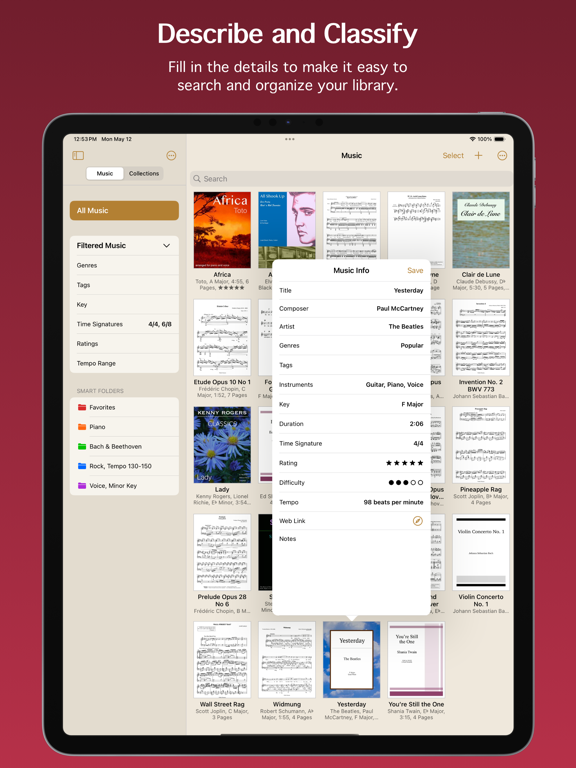
• Describe and classify your music in great detail with information like title, composer, artist, genres, tags, instruments, key, duration, time signature, rating, difficulty, tempo, web link, and notes.
• Add scores with multiple movements or books with multiple songs, then organize them into sections.
• Create collections to make groups of music, such as setlists, virtual binders, or books.
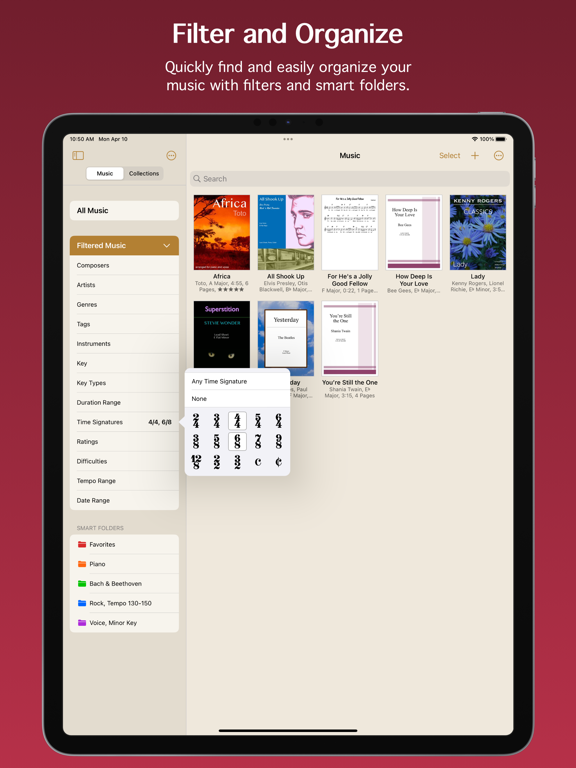
• Easily find the music and collections you’re looking for with filters. With a few taps, for example, you can see all music that’s in a major key with a 4/4 or 6/8 time signature, having a tempo between 120 - 135 beats per minute.
• Create smart folders to automatically keep your music and collections organized.
Add Audio Tracks
• Add tracks from the Music app.
• Record your own audio.
• Import audio files.
• Adjust pitch and playback speed.
• Turn pages automatically while audio plays.
Stay In Tune
• Tune your instrument using the device microphone.
• Generate a tone using a variety of instruments and sounds.
• Adjust the A4 frequency.
• Select from 10 temperaments to customize the tuning.
Practice and Perform
• View music in portrait or landscape mode.
• Scroll music horizontally or vertically.
• Turn pages by swiping, moving the slider, using a Bluetooth page turner, tapping the edge of the screen, following a link, making a facial gesture, or playing audio that has automatic page turning enabled. (Facial gestures require a device with a TrueDepth camera.)
• Create links to jump or scroll to another page. Links are great for music with repeats or codas. They also allow music to be automatically scrolled with precise timing.
• Use the