Ctrl+C:Easily record your copy

Ctrl+C:Easily record your copy Summary
Ctrl+C:Easily record your copy is a with in-app purchases iOS app in Productivity by Chang Chin-Ming. Released in Dec 2014 (11 years ago). It has 34 ratings with a 4.44★ (good) average. Based on AppGoblin estimates, it reaches roughly 98 monthly active users and generates around $<10K monthly revenue (100% IAP / 0% ads). Store metadata: updated Sep 22, 2025.
Store info: Last updated on App Store on Sep 22, 2025 .
4.44★
Ratings: 34
Screenshots



App Description
Ctrl+C like a clipboard in widget and you can copy words automatically in it.
It's a useful, simple and quick tool. Help you to copy and edit words.
All you need to do is copy words and pull down Notification Center, then Ctrl+C in widget will record these contents automatically.
"Copy all" function can combine all contents to one content and copy it. You can paste it to every platforms you want to share.
- Requirement
◎ Support iOS 8 and above, iPhone 4S and newer devices.
- Features
◎ Support iPhone 6, iPhone 6 plus resolution.
◎ Support iOS 8 widget to record the text that you copied from other place
When you copied a text from other place and scroll down Notification Center, the text will be appeared in widget and you can press + button to record it.
◎ Keep and list multi texts
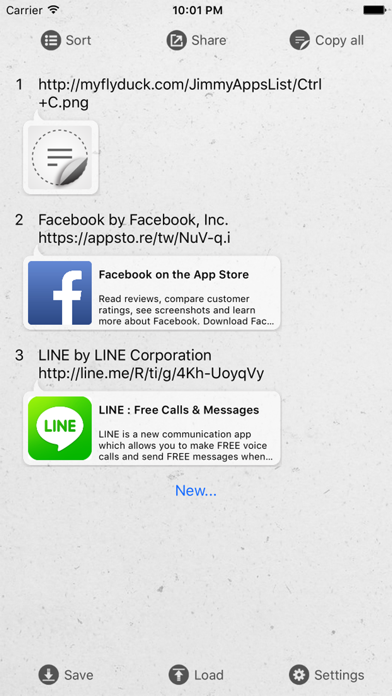
Can record up to 10 texts, and support text editing, sorting or deleted.
◎ A key to copy all the text merge
Just one button, combine all texts listed in app for easy sharing and pasting anywhere.
◎ Save and load archive
Support save the texts to archive, you can save 10 texts in one archive, and the number of archive is unlimited.
◎ Edit text through gestures
1. Single press: Copy text
2. Long press: Edit text
3. Left slide: Delete text
◎ New user interface and themes
Now,you can change other themes anytime.
- Future updates
◎ We will provide more and better customize features!