ENVOY VMI

ENVOY VMI Summary
ENVOY VMI is a free iOS app in Business by BradyPLUS. Released in Feb 2015 (11 years ago). It has 11 ratings with a 3.73★ (average) average. Based on AppGoblin estimates, it reaches roughly 46 monthly active users . Store last updated Aug 21, 2024
ENVOY VMI SDKs Summary
App not yet scanned for SDKs.
3.73★
Ratings: 11
Screenshots



App Description
The Envoy VMI app is designed for Envoy Solutions' authorized clientele to efficiently manage inventory reporting and streamline reordering directly through Envoy Solutions' ERP system and Storefront.
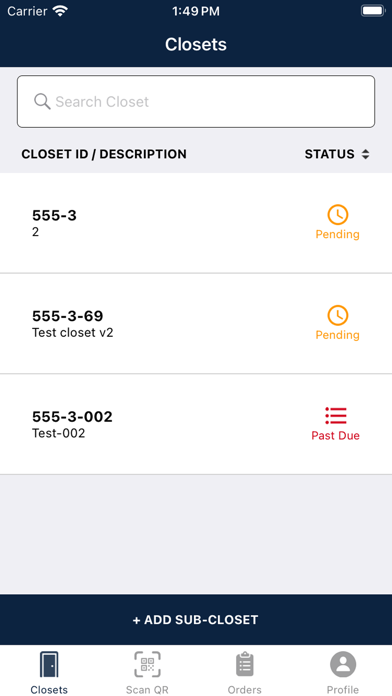
Upon logging in, users will be presented with a list of closets associated with their accounts that are currently slated for inventory assessment. This list includes details of upcoming inventories for each closet, allowing all relevant users to stay informed. Following the completion of an inventory count, users’ schedules will be updated to prevent any duplication. Orders requiring approval must be configured under Storefront.
Additionally, the Envoy VMI app offers the functionality to store offline inventories, which can be submitted once a Wi-Fi connection is established. Users can leverage QR code scanning via their mobile devices to accurately identify and validate closets, while also utilizing barcode scanning to identify products registered within the Envoy Solutions' item database.
The app provides two distinct user roles: the counter and the admin role. Depending on the user's role, users will have the ability to update par/max levels for items, place orders, and/or identify items from the Envoy Solutions' database with a specific closet, and add items not listed in the scheduled inventory by scanning the item’s barcode.
Users can take advantage of the drag-and-drop feature to seamlessly arrange items within a list, facilitating the organization of items in the desired inventory sequence. This feature eliminates the need for manual data entry, enhancing efficiency and accuracy in inventory management processes.