Blur Photo Editor & Mosaic

Blur Photo Editor & Mosaic Summary
Blur Photo Editor & Mosaic is a free, ad-supported, with in-app purchases iOS app in Photo And Video by Yu Abe. Released in Feb 2015 (11 years ago). It has 291K ratings with a 4.68★ (excellent) average. Based on AppGoblin estimates, it reaches roughly 230K monthly active users and generates around $50K+ monthly revenue (54% IAP / 46% ads). Store last updated Oct 19, 2026
Recent activity: 63 new ratings this week View trends →
SDK intelligence: AppGoblin detected 9 ad networks(e.g. Google), 3 development tools,and 1 analytics: product integrated into Blur Photo Editor & Mosaic. View full SDK list →
Blur Photo Editor & Mosaic SDKs Summary
Blur Photo Editor & Mosaic was last scanned for SDKs on 2026-08-11. Below is the overview of third-party companies detected in the app. The full list of SDKs, permissions and unknowns is available here.
 Google
 Facebook
 AppLovin
 InMobi
 nanopb
 SDWebImage
 Firebase
4.68★
Ratings: 291K
Screenshots


App Description
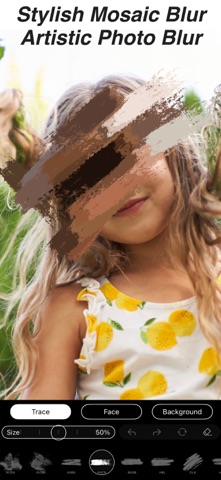
This app allows you to blur or pixelate areas of a photo by tracing with your finger.
Several varieties of mosaic are available.
You can also select from four different grades of thickness and strength for your mosaic.
It's an app that's very suited for censoring.
In addition, we offer various functions.
You can also process photos to make them soft and fluffy.
You can also automatically blur the car license plate and the face of the person automatically.
You can arrange photos, join photos, and join photos to combine multiple photos into a single image.
You can cut the photo into a circle for SNS and edit the border color of the icon.
You can create nostalgic photos by applying filters to photos and adding texture to photos.
You can also add text to your photos.