Glimpse – Video storytelling

Glimpse – Video storytelling Summary
Glimpse – Video storytelling is a with in-app purchases iOS app in Photo And Video by Excellent Rectangle. Released in Jun 2015 (11 years ago). It has 161 ratings with a 3.54★ (average) average. Based on AppGoblin estimates, it reaches roughly 134 monthly active users and generates around $<10K monthly revenue (100% IAP / 0% ads). Store metadata: updated Jul 18, 2024.
Store info: Last updated on App Store on Jul 18, 2024 .
3.54★
Ratings: 161
Screenshots
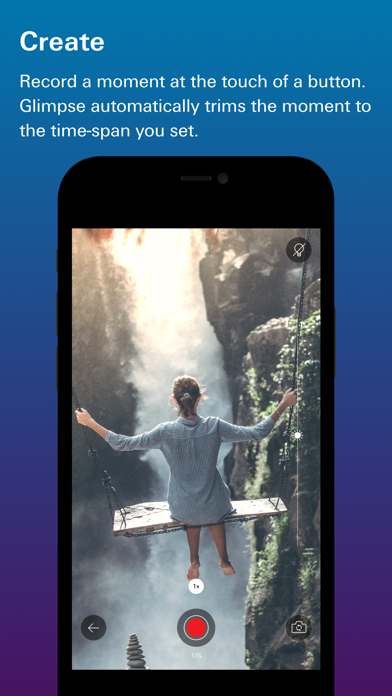


App Description
Glimpse makes shooting and editing video stories fast and easy. Perfect for capturing the memories you want to keep, Glimpse gives you the flexibility to craft beautiful movies without complicated editing software. With Glimpse, your weddings, vacations, and nights on the town become the highlight reels of your life. It's movie-making made simple. What will you Glimpse?
Features:
* Reorder moments. Perfect your videos by moving moments around to tell your story the way you want.
* Flexible recording options. Record moments of two, three, or unlimited seconds (requires in-app purchase). Hold down the record button (or use 3D-touch) to reveal the options.
* Effortless editing. Accidentally add a moment or looking to trim your video? Glimpse lets you remove moments from a video with the flick of a finger, and trim moments so you can focus on what’s most important.
* Multiple video stories. Create and maintain multiple videos. Glimpses are stored in your list; tap (+) to add to any Glimpse at any time.
* Flexible orientations. Create square, portrait, or landscape videos.
* Lock screen widget. Create new Glimpses or add to your latest Glimpse right from the lock screen.
* Reminders. If you’d like to look back at where you were at 8:00 am every day for a month, Glimpse can now remind you to capture a daily moment at that time. Reminders can be set daily, weekly, or monthly.
* Flashlight. Capture moments in low-light conditions by turning on the flashlight.
* Zoom. Get closer to the action with digital zoom. iPhone 7 and 7+ users can take advantage of the 2x optical zoom.
* Lock. Prevent accidental deletion or editing by locking a Glimpse in the list view.
* Search. Trying to find a Glimpse in your list? Pull down on the list to reveal the search bar and find a Glimpse by title.
* 3D-touch enhanced. 3D-touch the app icon to create a new Glimpse or add to your latest Glimpse; 3D-touch the play button in the list view to play a Glimpse full-screen; and 3D-touch the record button to reveal timing options.
* Instant review. Glimpse plays your moment immediately after you record it. Review it instantly to decide whether to add it to your video. Alternately, use auto-save to speed up the process. Moments will be added automatically after recording them.
* Automatic image stabilization. No more shaky-cam (unless you want it. Adjust this setting in the Glimpse sett