Liposome Calculator

Liposome Calculator Summary
Liposome Calculator is a mobile iOS app in Education by Roman Volinsky. Released in May 2015 (11 years ago). It has 1.00 ratings with a 5.00★ (excellent) average. Store last updated Oct 6, 2024
Liposome Calculator SDKs Summary
App not yet scanned for SDKs.
5★
Ratings: 1.00
Screenshots
App Description
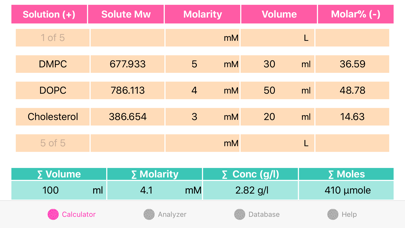
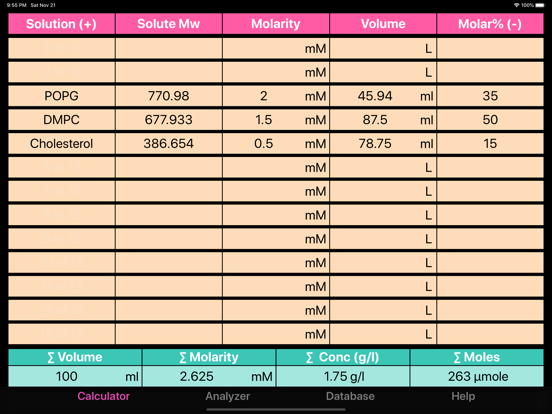
Liposome Calculator helps in preparation of liposome solutions. Components concentrations (molarity and mg/ml) and moles, and volumes of stock solutions are calculated based upon data provided, such as: initial concentrations of the stock solutions, and required molar ratios.
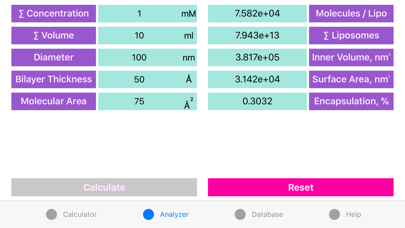
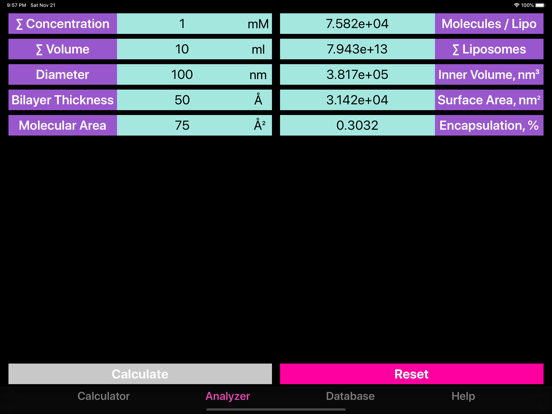
Application is comprised of two activities: First is Calculator, that helps to parameterize and prepare the complex suspension systems. Second is Analyzer that helps in analysis of liposome parameters, such as number of molecules per vesicle, inner, entrapped volume and encapsulation.
The Calculator follows the common liposome preparation procedure (volard.wordpress.com):
1. Stock solutions of lipids (or any other compound) are mixed in appropriate molar ratios.
2.Obtained mixture is purged with nitrogen and organic solvent is finally evacuated under vacuum.
3.Obtained lipid mixture is hydrated and extruded or sonicated, according to the needs.
Calculator features:
Unlimited number of components is available. Additional components are added by touching “Solution# (+)” field and deleted by touching the “Molar% (-)” field.
Application is fully interactive: all system parameters are updated immediately after any input from user (if it is sufficient!). For example: final molar concentration and molar ratios of the components can be adjusted at any time if molar concentrations of starting solutions and final suspension volume are provided. Upon any of the aforementioned changes, the application will calculate the volumes of the initial solutions to fit the desired parameters.
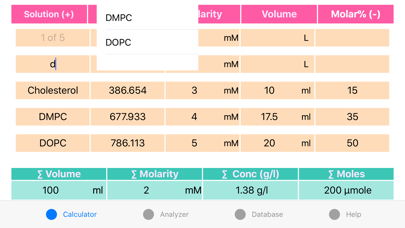
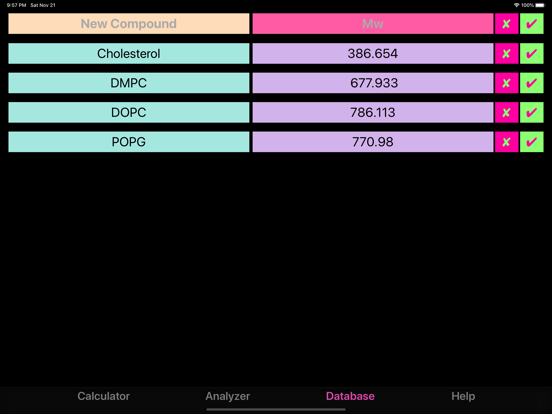
The database is used to store compounds data, that will be available to autocomplete upon typing compounds' names in the main calculator.
Important points.
The user should follow the simple rule to ensure proper functionality: all known data should be provided in the following order (Only yellow fields are adjustable): solution or solute nicknames(optional)-> Mw (if needed)-> initial concentrations (must!)-> volumes (if known)-> molar ratios (if known)-> Total Molarity (if known)-> Total Volume (if known).
Sum of stock solution volumes doesn't have to be equal to final suspension volume (Refer to the procedure)!
Watch out the molar ratios to ensure that all starting components are included! Program will expel components for which insufficient data is provided! Thus, for example co