ARES Touch: DWG Viewer & CAD

ARES Touch: DWG Viewer & CAD Summary
ARES Touch: DWG Viewer & CAD is a with in-app purchases iOS app in Productivity by Graebert GmbH. Released in Dec 2016 (9 years ago). It has 1.6K ratings with a 4.62★ (excellent) average. Based on AppGoblin estimates, it reaches roughly 4.2K monthly active users and generates around $<10K monthly revenue (100% IAP / 0% ads). Store metadata: updated Jan 29, 2026.
Store info: Last updated on App Store on Jan 29, 2026 .
4.62★
Ratings: 1.6K
Screenshots




App Description
Full CAD software to share, annotate, create and modify DWG drawings on the go.
### ABOUT ARES TOUCH ###
ARES Touch is a full CAD solution for professionals. It is the ideal companion to read, create, annotate or modify DWG drawings on your iPhone or iPad. Non-subscribers get access to viewing, sharing and dimensioning tools for FREE while subscribers get hundreds of additional tools to create or modify drawings.
TRY THE FULL EXPERIENCE FOR FREE: If you subscribe via In-App purchase you can cancel within 14 days and will not be charged.
### FREE FEATURES ###
=== The following features can be used for free: ===
- FREEDOM: Unlimited number of mobile devices for the same user
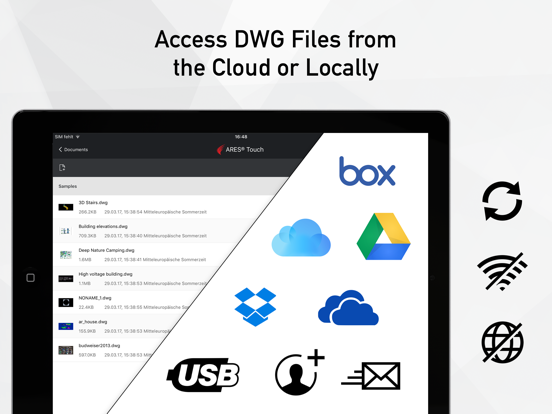
- CONTROL: Files can be synchronized with Dropbox, Box, iCloud or Google Drive, OR saved locally on the device.
- POWER: No size limitation to read, save or share 2D and 3D drawings in DWG
- UNIVERSAL: Save in DWG or export to JPEG
- Model space and layouts: switch as required
- Layers palette + advanced layer tools
- High precision tools: Selection, Snap, Loupe, Tracking, Coordinates Input (Polar/Cartesian, Relative/Absolute)
- Simple annotation: Add text, dimensions, leaders, tolerances, revision clouds
ARES Touch is available in English, Japanese and German. More languages are coming.
### PREMIUM FEATURES ###
=== Hundreds of additional features are available for subscribers: ===
- Drawing features: lines, polylines, circles, arcs, ellipses, splines, points, hatches…
- Editing features: Split, weld, trim, extend, align, offset, fillet, chamfer…
- Quick Modify: combine copy, move, rotate and scale actions with the same selection
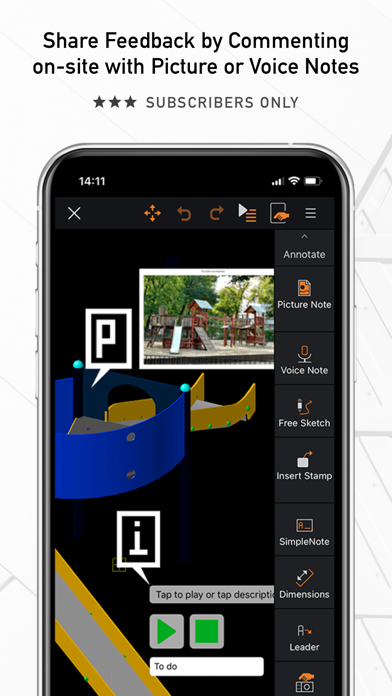
- Picture Note: Annotate drawings with pictures and comments
- Voice Note: Insert a comment by recording your voice
- Blocks: insertion and creation
### THE ARES TOUCH SUBSCRIPTION ###
=== Get the full experience of ARES Touch ===
The features of the Free Simple Mode are great for viewing and simple annotation but you will need a valid subscription to access the premium features listed above.
To get the Premium features of ARES Touch, we invite you to buy a monthly renewable subscription from iTunes via In-App purchase, directly inside ARES Touch. If you purchased another Graebert software such as ARES Commander, and your subscription includes ARES Touch, you can simply use the same Graebert Account credentials (the one you use for other Graebert pro