ImgPlay: GIF Maker & Meme

ImgPlay: GIF Maker & Meme Summary
ImgPlay: GIF Maker & Meme is a free, with in-app purchases iOS app in Photo And Video by ImgBase, Inc.. Released in Jun 2015 (11 years ago). It has 273K ratings with a 4.76★ (excellent) average. Based on AppGoblin estimates, it reaches roughly 129K monthly active users and generates around $<10K monthly revenue (100% IAP / 0% ads). Store last updated Sep 2, 2026
Recent activity: 41 new ratings this week View trends →
SDK intelligence: AppGoblin detected 5 development tools(e.g. Google), 2 ad networks, 2 business tools,and 1 analytics: product integrated into ImgPlay: GIF Maker & Meme. View full SDK list →
ImgPlay: GIF Maker & Meme SDKs Summary
ImgPlay: GIF Maker & Meme was last scanned for SDKs on 2026-09-24. Below is the overview of third-party companies detected in the app. The full list of SDKs, permissions and unknowns is available here.
 Google
 nanopb
 Alamofire
 MongoDB
 Facebook
 Snap
Snap Firebase
 RevenueCat
 Zendesk
4.76★
Ratings: 273K
Screenshots




App Description
ImgPlay makes creating high-quality GIFs on iPhone incredibly simple. Turn videos, Live Photos, burst shots, still images, and even screen recordings into clean, smooth animations in just seconds. Whether you're making memes or polished short loops, ImgPlay offers the tools you need with no learning curve.
Create your perfect animation now with ImgPlay!
Convert Any Media into Professional GIFs
- Video to GIF Conversion: Use precise trimming to transform any video into a perfect looping GIF
- Convert Live Photos and burst shots into seamless animations
- Combine multiple images to create stop-motion, slideshows, animated collages, or loops
- Easily import files from iCloud, Dropbox, Wi-Fi, or iTunes
- Turn screen recordings into editable GIFs instantly
- 4 Camera Modes: Capture new content with hands-free, normal, stop-motion, and boomerang modes
Smart Editing & AI Power: Next-Level GIF Quality
Elevate your GIF creations using our cutting-edge AI technology and professional editing tools.
- Remove backgrounds instantly with AI background removal
- Use canvas ratios tailored for Instagram, TikTok, Stories, Reels, X, and more (1:1, 4:5, 9:16, 16:9)
- Adjust playback speed from 0.02 to 1 second per frame
- Choose loop settings: infinite, 1, 3, or 5 loops
- Switch playback direction: forward, reverse, or back-and-forth
- Set video FPS to 5, 10, 15, 20, 24, 30 or 60 for the motion style you want
- Crop, rotate, flip, zoom, and refine any part of your animation
Frame-Level Editing for Total Control
- View and edit every frame at once
- Reorder frames with simple drag-and-drop
- Remove unwanted frames instantly
- Combine GIFs, photos, videos, and Live Photos within a single project
- Save any frame as a standalone image
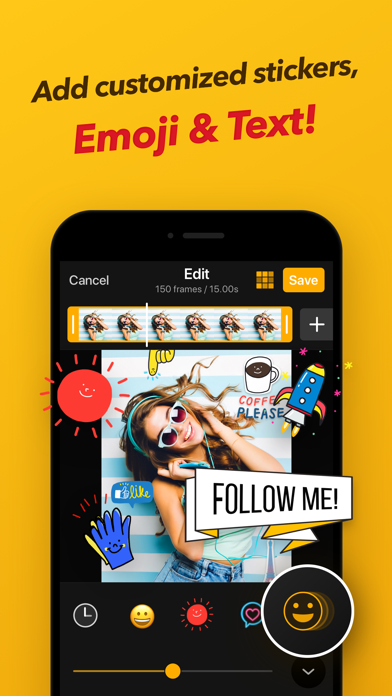
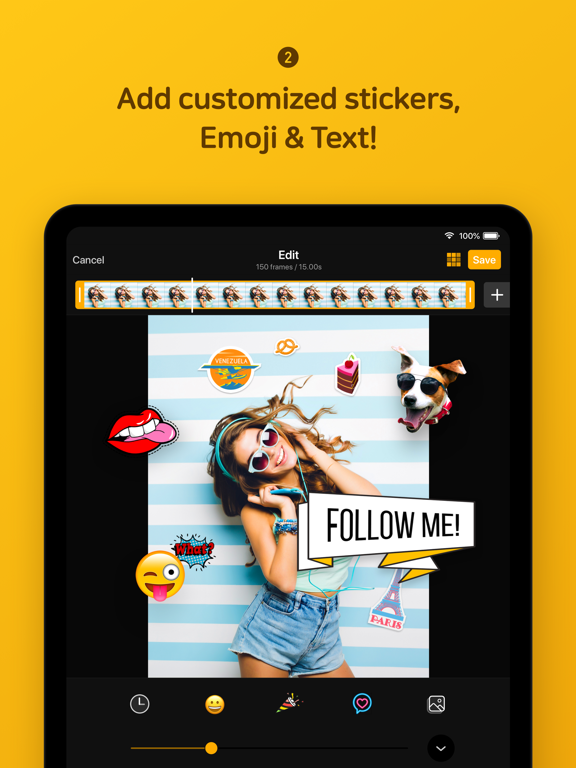
Text, Stickers, & Meme Creator: Personalize Your Content
- Import your own fonts or use over 20 built-in animated text effects
- Advanced Meme Maker: Features a meme canvas with multiple text areas and an auto-text canvas that adapts to your caption
- Custom Stickers: Use your own images, PNGs, GIFs, and clipboard items as stickers, applying 23 unique motion effects
- Visual Enhancements: Access 45 filters and full visual adjustments, including Brightness, Exposure, Contrast, Saturation, Temperature, Sharpness and Clarity, Hue, Shadows, and Midtones
- Privacy Tools: Apply Mosaic and Blur functions to conceal sensitive or unwanted areas
Creative