LuxTrust Mobile

LuxTrust Mobile Summary
LuxTrust Mobile is a free iOS app in Business by LuxTrust S.A.. Released in Oct 2015 (10 years ago). It has 30K ratings with a 4.82★ (excellent) average. Based on AppGoblin estimates, it reaches roughly 135K monthly active users . Store last updated Sep 7, 2026
Recent activity: 3.00 new ratings this week View trends →
SDK intelligence: AppGoblin detected 4 development tools(e.g. Google),and 1 analytics: product integrated into LuxTrust Mobile. View full SDK list →
LuxTrust Mobile SDKs Summary
LuxTrust Mobile was last scanned for SDKs on 2025-02-19. Below is the overview of third-party companies detected in the app. The full list of SDKs, permissions and unknowns is available here.
 Google
 Airbnb Engineering
 nanopb
 Alamofire
 Firebase
4.82★
Ratings: 30K
Screenshots



App Description
LuxTrust Mobile – carry out your most sensitive online operations directly from your smartphone and without using any hard devices (such as the classic Token or a Scan).
WHAT DOES LUXTRUST MOBILE DO?
LuxTrust Mobile allows you to:
- Securely access our partner websites (banks, e-government, …)
- Confirm and validate online financial transactions
- Sign documents electronically directly
- Perform various operations on guichet.lu
HOW TO ACTIVATE IT?
If you already are a LuxTrust customer and have your Token or Scan at hand, simply install it and follow the steps indicated in the app.
If you are not a LuxTrust client and you want to use the app, order your LuxTrust electronic identity on www.luxtrust.lu.
HOW TO USE IT?
LuxTrust has three main modes:
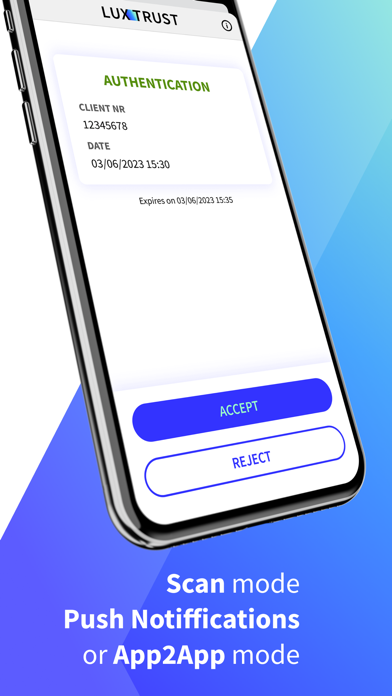
- App2App: Once set-up in your banking app, LuxTrust Mobile can automatically exchange with it so that you do not need to enter an OTP (one-time password). You just have to confirm or cancel the operation. Please check with your bank how to enable this feature.
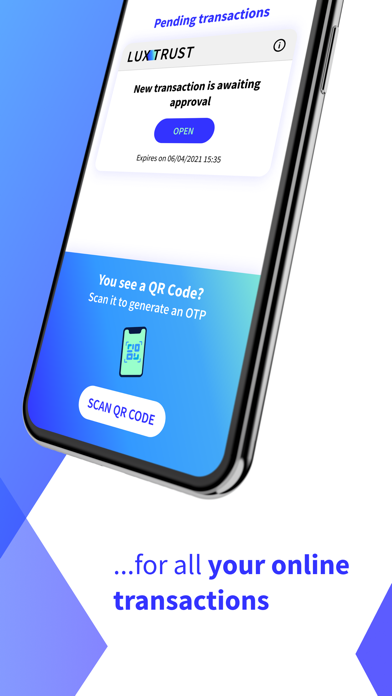
- Scan the QR code (mosaic image) when connecting to a website using a desktop or tablet: You will select LuxTrust mobile instead of the Token for instance. You can then scan the QR code displayed after entering your User ID and Password. The app decrypts the image and generates the OTP (one-time password) you need to insert on the website.
- Receive a Push Notification when accessing to our partners’ website from a desktop, tablet or smartphone. Partners’ websites having this feature enabled will automatically send you a notification asking you to confirm or cancel the specific operation. You can also find it under “Pending transactions”.
OTHER FEATURES
You can activate your LuxTrust Mobile app on a second device (like a tablet) and enable TouchID or FaceID to unlock it, for more convenience.
DO YOU NEED HELP?
If you have any questions or need help, feel free to contact our Helpdesk at +352 24 550 550 or by email at: helpdesk@luxtrust.lu.
SECURITY NOTICE
Before installation and as well as during utilisation, please ensure that your devices (smartphone, tablet, etc.) are appropriately secured and protected. For security reasons, LuxTrust do not accept rooted or jailbroken devices and cannot be held liable in case such devices are used.
To remain protect at all times, do not disclose your security codes, PINs, and passwords to anyone