Radius on Map + : draw circle
Radius on Map + : draw circle Summary
Radius on Map + : draw circle is a mobile iOS app in Tools by TappiApps. Released in May 2015 (11 years ago). It has 15 ratings with a 3.80★ (average) average. Based on AppGoblin estimates, it reaches roughly 40 monthly active users . Store last updated Oct 6, 2025
Radius on Map + : draw circle SDKs Summary
App not yet scanned for SDKs.
3.8★
Ratings: 15
Screenshots

App Description
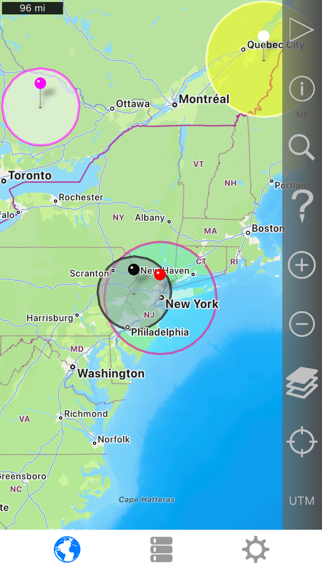
Easily make a radius on a map and share a url showing the radius via email or text message that can be viewed with any browser.
The full version is a one-time purchase at a reasonable price. There is no recurring 'subscription' .
Extra functionality of the full version includes:
- Support for landscape and iPad split screen.
- Share multiple radii in one url.
- Lock a radius center to your current location.
- Import radii stored as polygons in a .kml or .kmz file. You can import a file from a cloud service such as iCloud or Dropbox.
- Export your radii as polygons saved to a kml file to view in Google Earth™ or other mapping applications. You can attach the .kml file to an email or save to iCloud, Dropbox, etc.
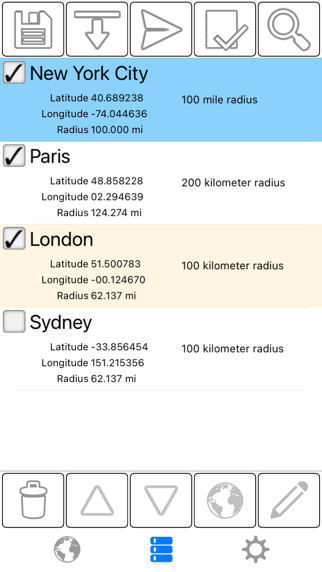
- Ability to specify which radii show on the map by selecting them in the list view.
- Search for keywords in name and/or notes field to find a specific saved radius.
- Custom message header and footer.
- No adverts
Properties for each radius:
- Center coordinate
- Radius
- Fill color and opacity
- Perimeter color and opacity
- Name
- Notes (optional)
Coordinate formats include:
- Degrees
- Degrees, Minutes
- Degrees, Minutes, Seconds
- UTM (Universal Transverse Mercator)
- MGRS (Military Grid Reference System)
Distance units include:
- Kilometers
- Miles
- Nautical miles
- Meters
- Yards
- Feet
Loading satellite maps requires an internet connection.
Datum used is WGS-84.
Please visit the support page for more details.