Video Compress - Shrink Vids

Video Compress - Shrink Vids Summary
Video Compress - Shrink Vids is a free, ad-supported, with in-app purchases iOS app in Photo And Video by Brachmann Online Marketing GmbH & Co. KG. Released in Jun 2015 (11 years ago). It has 30K ratings with a 4.65★ (excellent) average. Based on AppGoblin estimates, it reaches roughly 13K monthly active users and generates around $<10K monthly revenue (35% IAP / 65% ads). Store last updated Aug 11, 2026
Recent activity: 3.00 new ratings this week View trends →
Video Compress - Shrink Vids SDKs Summary
App not yet scanned for SDKs.
4.65★
Ratings: 30K
Screenshots



App Description
Simply compress and shrink videos to save storage. Download now for free!
Is your iPhone/iPad storage almost full — or do you want to reduce a video’s file size to send it faster via messengers like WhatsApp, iMessage, Telegram, Signal, Facebook Messenger, Snapchat, etc., or upload it to social media like Instagram, TikTok, Facebook, YouTube, and more? This app solves the problem.
You can also use this app when your cloud storage (iCloud, Google Photos, Dropbox, OneDrive, Google Drive, etc.) is running out of space. Compress videos before uploading to fit many more — with little to no noticeable loss of quality.
Everything happens on your device (on-device processing): no cloud, no server upload. Works offline, without an account or registration.
How it works:
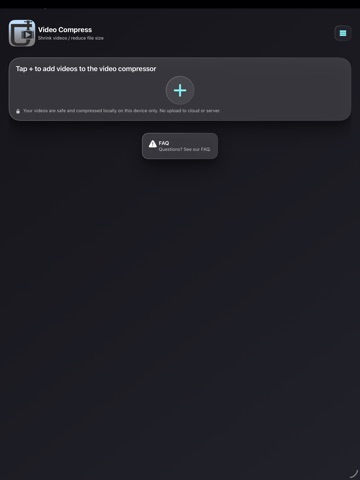
1) Choose a video (or select multiple videos)
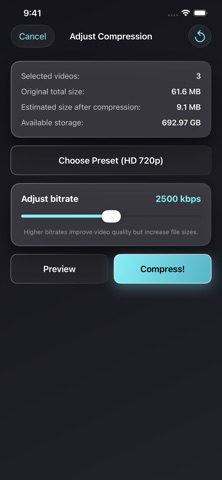
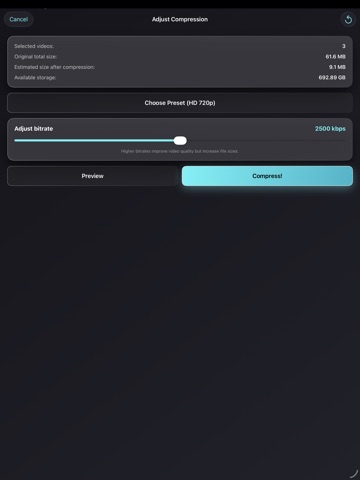
2) Pick a preset resolution and set the compression strength with the bitrate slider
3) Preview the result: compare the compressed video with the original before you save
4) Save the compressed video to your iOS Photos/Videos library
Great for:
- Saving iPhone storage and freeing up space on iOS and iPadOS
- Sending videos faster in chats (WhatsApp, iMessage, Telegram, Signal, Messenger, Snapchat, etc.)
- Uploading to social apps when your video is too large (Instagram, TikTok, Facebook, YouTube, etc.)
- Backing up more videos to cloud storage (iCloud, Google Photos, Dropbox, OneDrive, Google Drive, etc.)
- Keeping quality high while shrinking the video file size
Overview:
- Compress and shrink a single video or multiple videos to save storage on your iPhone/iPad
- Choose presets for video compression (resolution) and adjust compression strength with a bitrate slider
- Before/after preview to check the visual quality of the compressed video
- Shows available device storage and the estimated new file size (before and after compression)
- Simple & intuitive
- Optional: delete the original video after compression (it may still appear in the “Recently Deleted” album — delete it there as well to free up storage)
- No watermark on compressed videos
- Keeps important metadata, including date/time and location (GPS), after compression
- Compatible with iPhone and iPad
- Works with 4K videos recorded on iPhone/iPad
Presets available for video compression:
- Full HD 1080p (1920×1080 pixels)
- HD 720p (1280×720 pixels)
- HD 540p (960×540 pixels)