Tripo - AI 3D Model Generator


Tripo - AI 3D Model Generator Summary
Tripo - AI 3D Model Generator is a mobile Android app in Art And Design by Holymolly Limited. Released in Jan 2026 (2 months ago). It has about 105.2K+ installs and 1.8K ratings with a 4.43★ (good) average. Based on AppGoblin estimates, it reaches roughly 28.5K monthly active users . Store metadata: updated Mar 13, 2026, version 21.
Recent activity: 9.4K installs this week (105.2K over 4 weeks) , and 373 new ratings this week View trends →
Data tracking: SDKs and third-party integrations were last analyzed on Mar 12, 2026.
Store info: Last updated on Google Play on Mar 13, 2026 (version 21).
Tripo - AI 3D Model Generator was last scanned for SDKs 2026-03-12. Below is the overview of third party companies detected in the app. The full list of raw SDKs, app permissions and unknown SDKs is available here.
 Square
 JetBrains
 Godot
Godot Google
 Facebook
 AppsFlyer
 Firebase
4.43★
Ratings: 1.8K
Screenshots


App Description
Start 3D modeling in seconds. Generate unique assets with AI automatically.
Tripo AI - Create Stunning 3D Models with Ease
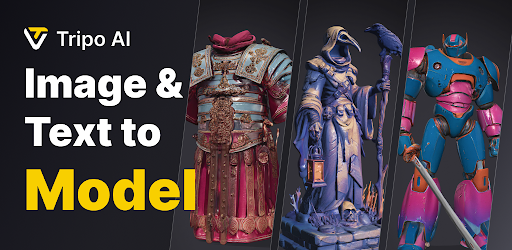
Unleash your creativity with Tripo AI, an innovative app that harnesses advanced artificial intelligence to transform your images or text prompts into unique, high-quality 3D models. With just a few taps, you can create breathtaking, ready-to-use models that simplify your work and enhance your creative projects.
How It Works
Tripo AI leverages cutting-edge "text-to-3D" and "image-to-3D" technology to bring your ideas to life. Simply input a text description or upload an image, and our AI will generate a bespoke, high-precision 3D model tailored to your vision. Whether you're designing buildings, characters, props, or 3D-printable objects, Tripo AI empowers you to create virtually anything.
Why Choose Tripo AI?
*Spark Creativity: Discover fresh ideas and inspiration to fuel your imagination.
*Boost Efficiency: Quickly produce professional-grade 3D models for work, study, or personal projects.
*Personalize Your Creations: Craft custom 3D models for 3D printing, unique gifts, or personalized home décor.
How to Use Tripo AI
1.Open the app and enter a text prompt or upload an image.
2.Tap the "Generate" button.
3.Watch as Tripo AI crafts your custom 3D model.
4.Save and share your stunning creation!
A Growing Platform
Tripo AI is continuously evolving, with new features and improvements added regularly. While the app has some limitations, its potential is boundless. We value your feedback, as it helps us refine the app and deliver an even better user experience.
Download Tripo AI today and explore the endless possibilities of AI-powered 3D creation!