3D Geo Globe

3D Geo Globe Summary
3D Geo Globe is a mobile Android app in Travel And Local by Advance-Media. Released in Oct 2010 (15 years ago). It has about 38.3K+ installs and 119 ratings with a 3.32★ (mixed) average. Based on AppGoblin estimates, it reaches roughly 424 monthly active users . Store metadata: updated Dec 1, 2019.
Recent activity: 418 installs this week (423 over 4 weeks) showing exceptional growth View trends →
Store info: Last updated on Google Play on Dec 1, 2019 .
3.32★
Ratings: 119
Screenshots

App Description
This GPS tool shows a NASA longitude latitude map as globe + location indicator
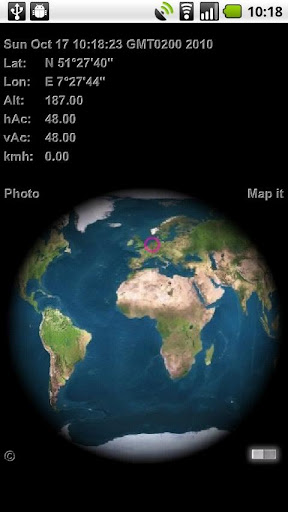
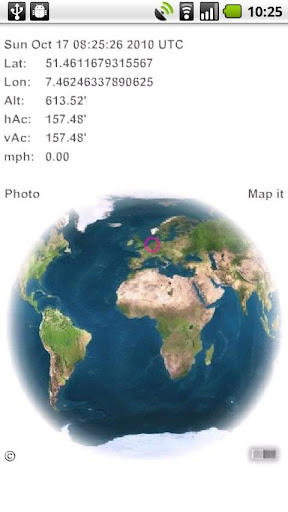
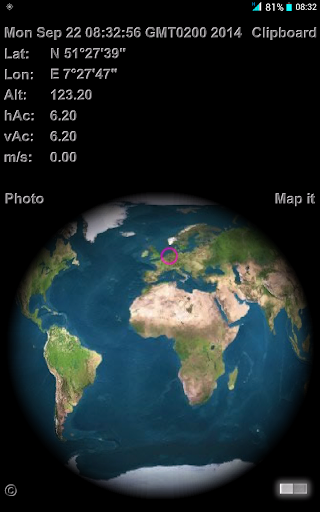
This GPS tool shows an accurate NASA longitude latitude map projected onto a 3D globe of the earth. A small pink indicator circle pinpoints your current geo-location based on received GIS GPS data or on a triangular wi-fi calculation. Save a photo for mail or for album geo tagging.
User Manual and Features:
* tap the clock to toggle GMT & UTC displayed time and hidden.
* tap Lon & Lat (Latitude or Longitude) to display the pink indicator in the center. Tap again to switch conversion from Decimal Degree to DMS (Degrees, Minutes, Seconds).
Note: choosing this mode while flying transcontinental will show the earth rotating under the indicator.
* swipe to the east & west for a spinning globe, tap the globe to hold the current rotation.
* tap Alt (altitude) to switch from meter to feet (see feet ' character) or hidden. Same behavior for tapping though vAc (vertical accuracy) and hAc (horizontal accuracy) combined.
* tap on m/s (meter per second) speed will switch to kmh (kilometer per hour) and tap again to fps (feet per second) and to mph (miles per hour) and kn (nautical knots) and to blank
* The 'map it' button takes you to the respective google map in your browser or Maps app
* All of your settings will be saved automatically
Tip: The blank (hidden) options can be used for manipulation of the captured photos. Which info would you like to reveal?
Tap on the miniature © in the corner to find out about the author ... tap again to hide. All other buttons are suspended during this display.
The ©, 'map it' and 'photo' and switch background color button will not be captured by the photo option.
After clicking 'photo' you'll get a 'saved' or 'error' prompt, click again to activate the photo option anew.
Turn on GPS for best results!
Adobe AIR android 2.2 up