AppCloner


AppCloner Summary
AppCloner is a ad-supported, with in-app purchases Android app in Tools by AntMobi. Released in Jul 2023 (2 years ago). It has about 102.7K+ installs and 370 ratings with a 3.30★ (mixed) average. Based on AppGoblin estimates, it reaches roughly 6.5K monthly active users and generates around $<10K monthly revenue (47% IAP / 53% ads). Store metadata: updated Jan 17, 2026.
Recent activity: 640 installs this week (4.1K over 4 weeks) showing steady growth , and 4.00 new ratings this week View trends →
Store info: Last updated on Google Play on Jan 17, 2026 .
3.3★
Ratings: 370
Screenshots

App Description
Clone multiple app of one apps and login at the same time
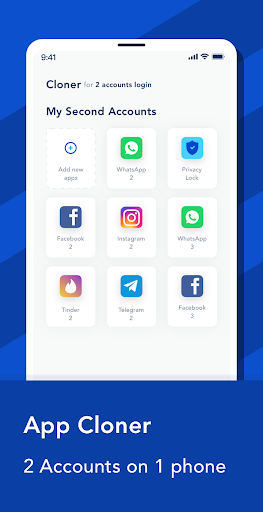
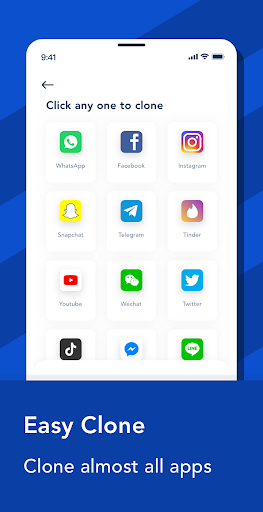
App Cloner is the ultimate solution for managing multiple accounts on your Android device. With this powerful app, you can easily clone and run multiple instances of your favorite apps concurrently.
Whether you want to keep your work and personal life separate, or simply want to enjoy the benefits of having multiple accounts on social media platforms, App Cloner has got you covered. Now, you can have multiple Facebook, Instagram, WhatsApp, or any other app accounts without the hassle of logging in and out constantly.
Key Features:
1. Clone your favorite apps: App Cloner allows you to create multiple copies of your desired apps effortlessly. You can customize each cloned app with different account credentials, settings, and even app icons, making them appear as completely independent apps on your device.
2. Run multiple accounts simultaneously: With App Cloner, you can effortlessly switch between different accounts of the same app without having to log in and out repeatedly. Now you can manage your business and personal accounts, or simply enjoy the freedom of multiple gaming accounts without any inconvenience.
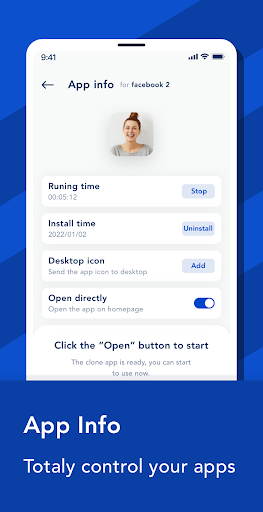
3. Customize cloned apps: App Cloner provides you with extensive options to personalize your cloned apps according to your preferences. You can change the app name, icon, color theme, and even disable specific app permissions to ensure your privacy and security.
4. Protect your privacy: Worried about privacy breaches? App Cloner has built-in features to safeguard your sensitive data. You can use the incognito mode to prevent cloned apps from saving data, and even enable the password lock feature to secure your cloned apps from unauthorized access.
5. Save storage space: App Cloner optimizes your device’s storage by allowing you to run multiple accounts of the same app without having to install them individually. This not only saves precious storage space but also enhances the overall performance of your device.
6. Clone and Rename: App Cloner allows you to create multiple copies of your preferred apps effortlessly. Not only can you clone apps, but you can also personalize them by giving each clone a unique name. This feature enables you to easily distinguish between different accounts and access them with ease.
7. Create Desktop Shortcuts: Say goodbye to the hassle of navigating through menus to find your cloned apps. App C