QLDTraffic


QLDTraffic Summary
QLDTraffic is a mobile Android app in Maps And Navigation by Department of Transport and Main Roads Queensland. Released in Feb 2017 (9 years ago). It has about 224.3K+ installs Based on AppGoblin estimates, it reaches roughly 6.7K monthly active users . Store metadata: updated Mar 27, 2026.
Recent activity: 339 installs this week (10.9K over 4 weeks) showing exceptional growth View trends →
Store info: Last updated on Google Play on Mar 27, 2026 .
1.96★
Ratings: 0
Screenshots
App Description
Queensland's official source of traffic and travel information.
QLDTraffic is the official source of live traffic and travel information from the Queensland Government. It lets you check traffic conditions and plan your journey before you drive.
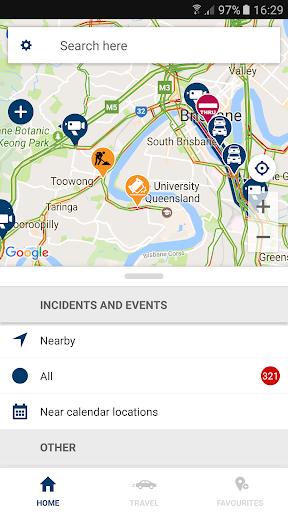
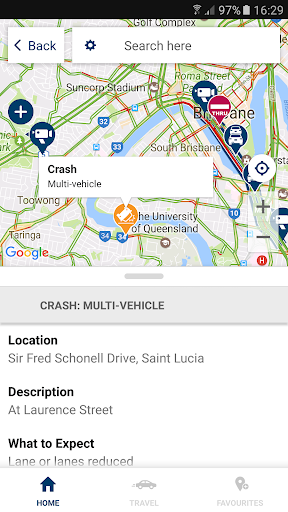
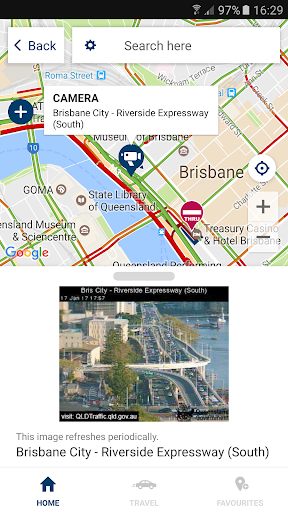
Managed by the Department of Transport and Main Roads, QLDTraffic provides information on road conditions throughout Queensland, including crashes and hazards, road closures and restrictions, roadworks and special events. The app also provides access to web cameras that relay near real-time traffic imagery.
Add your favourite routes to the app, like the trip to the office or a car journey to school, and QLDTraffic will inform you of traffic issues on the way. It’ll even send you personalised push notifications if something happens on your favourite routes, so that you’ll know before you go.
FEATURES
· Save favourite routes and places to receive personalised traffic alerts as push notifications
· See live traffic alerts and events on a map
· Filter traffic alerts to see:
o What’s happening on your routes or around your current location
o Incidents near your calendar events (if you’ve set a location for the event)
o Crashes, flooding, and hazards
o Road closures and restrictions
o Roadworks and special events
o Traffic flow and congestion
o Traffic web cameras
· Add a route by searching for a way to drive
· Use travel mode while you’re on the move to get live traffic alerts throughout your journey
o Travel mode includes audio announcements, so you can continue to pay attention to the road.
· Add custom routes by recording your trip in travel mode