WB Flower Garden Watch Face
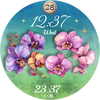

WB Flower Garden Watch Face Summary
WB Flower Garden Watch Face is a mobile Android app in Personalization by WatchBase Aura. Released in Feb 2026 (1 month ago). It has about 29+ installs Based on AppGoblin estimates, it reaches roughly 3.00 monthly active users . Store metadata: updated Feb 2, 2026.
Store info: Last updated on Google Play on Feb 2, 2026 .
0★
Ratings: 0
Screenshots


App Description
Elegant Flower Watch Face: 190+ Stunning Floral Styles for Women
🌸 Enjoy 200 different looks in one single watch face!
Transform your smartwatch into a blooming masterpiece with Floral Garden – the ultimate aesthetic watch face (Wear OS) for women who love elegance and variety.
_____
✨ How to Personalize
1. Enter Customization Mode Simply tap and hold the watch screen, then tap the Customise button.
2. Mix & Match Your Look
- Swipe to choose from 19 backgrounds.
- Select your favorite from 10 unique flower sets.
- Tap the complication slot to choose the data you want to see (Weather, Steps, Battery, etc.).
3. Switching Between Background Sets
- Go to the Second Background Set in the menu.
- Select the very first option (at the top) to reset it.
- Now you can freely select any background from the First Set.
_____
Why settle for one design when you can have 200? Floral Garden is not just a watch face. It’s a versatile accessory designed to match your mood, your outfit, and your lifestyle. Whether you are looking for a mysterious, dark floral aesthetic for a night out or a bright, cheerful burst of colors for a sunny day, this watch face offers it all.
🌸 190 Stunning Combinations
Unlock endless creativity with our unique mix-and-match system. Choose from:
- 19 Exquisite Backgrounds: From deep, midnight tones that make the colors pop to light, airy textures for a fresh look.
- 10 Beautiful Flower Stickers: Featuring hand-picked botanical favorites including Roses, Orchids, Daisies, Sunflowers, Daffodils,Pansies, Anemones, Cosmos, and Camellias.
✨ Elegant & Minimalist Design
We believe in beauty through simplicity. Floral Garden focuses on aesthetic pleasure rather than cluttered data. It features:
- Artistic Typography: A beautiful, custom font for the time that adds a touch of class.
- Essential Info at a Glance: Clearly displays the Hour, Date, and Day of the week.
- Customisable Complication: One editable slot to add exactly what you need—be it your heart rate, weather, steps, or battery level.
👗 A Staple for Every Outfit
With 190 different looks, this is the only floral watch face you’ll ever need. It’s a true wardrobe staple. The high-contrast dark modes create a magical, glowing effect, while the vibrant light themes bring joy to your daily routine.
🌿 Key Features:
- 190 Floral Looks
- 10 Unique AOD Styles
- Elegant & Feminine Aesthetic
- 1 Customisable Complication (Long press to edit)
- High-Resolution Botanical Art
_______
ⓘ Installation
How to install: https://watchbase.store/static/ai/
After installation: https://watchbase.store/static/ai/ai.html
If you have any issues installing the watch face, please note that we have no control over the installation process or any other Google Play / Watch processes. The most common issue that people face is after they buy the watch face and install it, they can't see/find it.
In order to apply the watch face after you install it, touch and hold on the main screen (your current watch face) the swipe left to look for it. If you can't see it, tap on the " + " sign at the end (add a watch face) and find our watch face there.
We use a companion app for the phone to make the installation process easier. If you buy our watch face, tap on the install button (on the phone app) you must check your watch.. a screen will appear with the watch face.. tap install again and wait for the installation to finish. If you already bought the watch face and it still asks you to buy it again on the watch, don't worry you will not be charged twice. This is a common synchronisation issue, just wait a little or try to restart your watch.
Another solution for installing the watch face is to try to install it from a browser, logged with your account (Google Play account that you use on the watch).
_____
JOIN WatchBase.
Facebook:
https://www.facebook.com/WatchBase
Instagram:
https://www.instagram.com/watch.base/
YouTube:
https://www.youtube.com/c/WATCHBASE