Grapher - Equation Plotter

Grapher - Equation Plotter Summary
Grapher - Equation Plotter is a mobile Android app in Tools by Basile Van Hoorick. Released in Apr 2015 (11 years ago). It has about 1.5M+ installs and 5.6K ratings with a 4.37★ (good) average. Based on AppGoblin estimates, it reaches roughly 4K monthly active users . Store metadata: updated Feb 16, 2026.
Recent activity: 56 installs this week (237 over 4 weeks) showing steady growth , and -2 new ratings this week View trends →
Store info: Last updated on Google Play on Feb 16, 2026 .
4.37★
Ratings: 5.6K
Screenshots


App Description
An extensive yet lightweight math graphing calculator and equation solver.
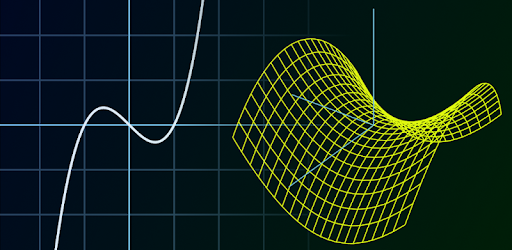
Grapher is a fast and effective equation plotter, capable of drawing any function, solving equations and calculating expressions. Especially if you're a student, teacher or engineer, this app is made with you in mind! A wide range of predefined functions is available, including trigonometric & hyperbolic functions, polar coordinates, differentiation and more. Anything you type will be processed and displayed instantly by a powerful math engine, in both 2D and 3D modes. Furthermore, functions can reference each other by their name.
As I strive to make Grapher fit your needs, any feedback and bug-reports are greatly appreciated. This free version has most but not all features; please consider buying Grapher Pro to enjoy awesome extensions such as parameter sliders and complex plotting!
Curve types
• Function (e.g. parabola, sine wave)
• Polar (e.g. rose, spiral)
• Parametric (e.g. ellipse, Lissajous) on the xy-plane or rθ-plane
• Implicit equation (e.g. conic sections)
• Implicit inequality (e.g. half-plane)
• 3D function (e.g. paraboloid)
• 3D parametric curve (e.g. helix)
• 3D parametric surface (e.g. sphere, hyperboloid)
More features
• Equation solver (numerical)
• Find roots, extrema and intersections with other functions
• Functions can reference each other, e.g. g(x)=2*f(x+1)
• Custom math keyboard
• Auto-detect input type
• User variable support for both numbers and functions
• Adjustable parameter range (for cartesian, polar & parametric curves)
• Input history
• Plot up to 28 graphs at once
• Differentiation (numerical)
• Trace graph
• Capture screenshots
Note: Mathematical functions should be typed by their names, for example sqrt(x) means √x. Hold a key to see all function names starting with that letter. If something is unclear, be sure to check out the 'Help' page as all details are summarized there.