3C CPU Manager (root)


3C CPU Manager (root) Summary
3C CPU Manager (root) is a ad-supported, with in-app purchases Android app in Tools by 3c. Released in Oct 2011 (14 years ago). It has about 855.1K+ installs and 4K ratings with a 3.93★ (average) average. Based on AppGoblin estimates, it reaches roughly 7.9K monthly active users and generates around $<10K monthly revenue (43% IAP / 57% ads). Store metadata: updated Jan 1, 2026.
Recent activity: 67 installs this week (2.9K over 4 weeks) showing below average growth , and -1 new ratings this week View trends →
Store info: Last updated on Google Play on Jan 1, 2026 .
3.93★
Ratings: 4K
Screenshots

App Description
Must-have CPU management for root users
3C CPU Manager is the must-have CPU control app for root users, created following popular requests.
3C CPU Manager requires a rooted device to offer a simple yet powerful interface to control your CPU and GPU configurations.
You can remove ads and unlock features using in-app purchase (see below).
★ Highly Configurable UI allows you to transform the app into something you really like.
★ Highly Configurable Widgets are all resizable, from a simple gauge to more complex data display and historical graphics.
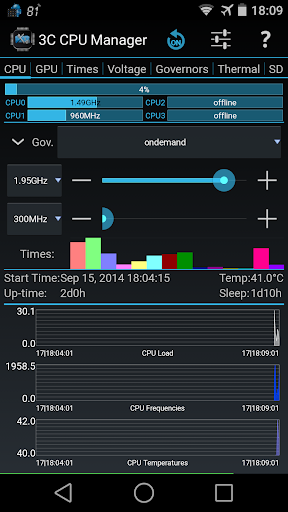
★ Shows a summary of CPU/GPU loads and frequency
★ Shows graphics of CPU/GPU loads, frequencies and temperatures *
★ Controls up-to 16-cores CPU settings
★ Configure governors settings
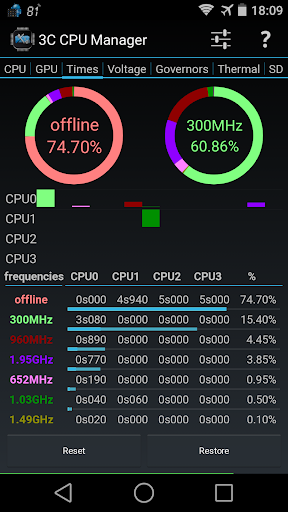
★ View frequency usage table
★ Set specific screen off configuration.
★ Creates multiple profiles that can be switched using a notification or launcher shortcut.
★ Show CPU/GPU data in widgets (1x1 text and gauge are freely customizable)
Depending on kernel support:
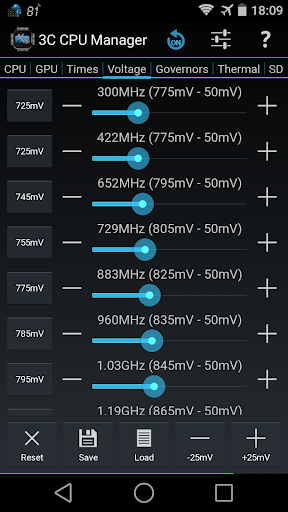
★ Set CPU/GPU frequencies, governor and voltages
★ Configure thermal configuration
★ Configure mp-decision daemons
★ Control cores separately
Use in-app purchases to unlock the following features:
★ Remove Ads
★ Hide specific tabs
★ Advanced UI theming options
★ Add shortcut to notification
★ Create more multiple profiles
★ Enable extra widgets (2x1 text and graphics) customization
★ Enable widget refresh rate configuration