Holy Bible Reina Valera 1960


Holy Bible Reina Valera 1960 Summary
Holy Bible Reina Valera 1960 is a ad-supported Android app in Lifestyle by CJVG. Released in Jan 2015 (11 years ago). It has about 17.1M+ installs and 372.6K ratings with a 4.63★ (excellent) average. Based on AppGoblin estimates, it reaches roughly 205.1K monthly active users and generates around $10K+ monthly revenue (0% IAP / 100% ads). Store metadata: updated Mar 23, 2026, version 65.
Recent activity: 25.4K installs this week (88.5K over 4 weeks) showing steady growth , and 61 new ratings this week View trends →
Advertising: AppGoblin detected 1.00 monetized ad creatives shown inside the app.
Data tracking: SDKs and third-party integrations were last analyzed on May 28, 2026. The app's network data flows (API traffic to/from the app and its SDKs) were last crawled on May 24, 2026.
Store info: Last updated on Google Play on Mar 23, 2026 (version 65).
SDKs, Trackers & Permissions
Holy Bible Reina Valera 1960 was last scanned for SDKs 2026-05-28. Below is the overview of third party companies detected in the app. The full list of raw SDKs, app permissions and unknown SDKs is available here.
AppGoblin saw Holy Bible Reina Valera 1960 uses 7 Development Tools
 Unity
Unity JetBrains IntelliJ
 Kotlin
 Google
AppGoblin saw Holy Bible Reina Valera 1960 uses 2 Mediation
 AdMob
AdMobAppGoblin saw Holy Bible Reina Valera 1960 uses 4 Ad Networks
 ironSource
 Tappx
TappxAppGoblin saw Holy Bible Reina Valera 1960 uses 1 Business Tools
 Keepsafe
AppGoblin saw Holy Bible Reina Valera 1960 uses 1 Analytics: Product
 Firebase
App Details
App Store
Ads & App-Ads.txt
AppGoblin SDK Scans
4.63★
Ratings: 372.6K
Screenshots


App Description
You can read the Bible without Internet, have preachers, favorites and more.
The Holy Bible Reina Valera 1960 is the book inspired by God and written by the men that he chose to comply with his purpose, in it we can see God’s temperament, his great love, his mercy, the plan that God proposed through his Son Jesus Christ and the revelations of the future for humanity.
The application is easy to use and it allows you to read the Holy Scriptures in a fast and comfortable way, ideal to take notes of the preaching, marking a verse fast and saving your favorite verses. Afterwards we will mention the features of the application:
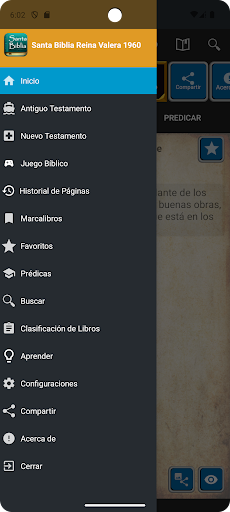
• To see the menu option scroll the screen from left to right, you can also click on the icon located on the upper bar or you can also click on the instruction message that appears at the start.
• To go back to the previously seen menu you can press the button behind your telephone.
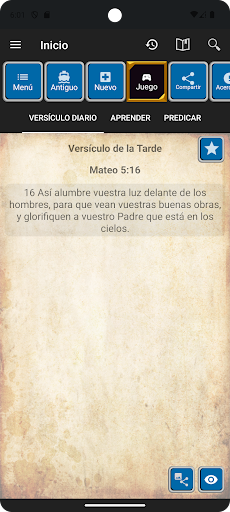
• Daily on the start menu you can see a verse to memorize.
• The Bible is divided in Old Testament and New Testament, you can select the book you wish and start reading the chapters of the Bible, next to each book you will find the corresponding number of the chapters.
• You can scroll the screen to change the chapter or you can click on the left and right arrows, or you can also go directly to a chapter by searching for it on the list and clicking on the chapter icon in the center.
• You can choose one or several verses of a chapter and send it to a bookmark, or copy the verse or create a new favorite or add it to a previous one, or create a preaching or add it to another one or share the verse with a friend.
• The Book Clasification menu will allow you to see the books according to its clasification and you can go to the book and read the chapters you wish.
• The bookmark will show you the verses you have marked in order for you to have a faster access to it or for you to see it later.
• The Favorite menu will allow you to see and edit the notes, to share your group of favorites and delete the group or a verse.
• The Preacher menu will allow you to see and edit the preacher and its title, share the group, edit a note per verse or erase it and delete the group or a verse.
• The search menu will allow you to put a word in the text and search the whole Bible, in the old or new Testament, even the book. If you specify the range of your search, you can take less time