Screen Balance


Screen Balance Summary
Screen Balance is a with in-app purchases Android app in Tools by QuickDoc. Released in Sep 2014 (11 years ago). It has about 852.4K+ installs and 2.9K ratings with a 3.94★ (average) average. Based on AppGoblin estimates, it reaches roughly 5.2K monthly active users and generates around $<10K monthly revenue (100% IAP / 0% ads). Store metadata: updated May 18, 2021.
Recent activity: 107 installs this week (452 over 4 weeks) showing steady growth View trends →
Store info: Last updated on Google Play on May 18, 2021 .
3.94★
Ratings: 2.9K
Screenshots


App Description
First Android App to allow adjustment of the screens White Balance - Finally!
First Android App to allow adjustment of the screens White Balance.
Exercise complete control over your screens white balance, tint and brightness level - Finally!
Root NOT needed.
UPDATES
★ Auto-sleeps when incompatible windows encountered (e.g. Package Installers)
★ Toggle on/off from notification tray - in Android Jellybean (4.1) and over.
★ Save color profiles.
★ Due to popular demand, we have added RGB adjuster to allow you to create your own color filters.
★ Due to demand, we have added option of adjusting the screen contrast - this vastly improves the readability of your screen at night. It also allows correction of harsh or over vibrant screen colors.
FEATURES
✓ Reduce brightness levels to below what Android normally allows - prevents night time strain, especially on AMOLED screens.
✓ Reduce Black Crush/Clipping on many devices including the recent Pixel 3
✓ Apply color tint to the screen - this is used to apply a color filter, e.g. a red tint such that you can use it in really dark environments, e.g. star gazing or simply reading at night.
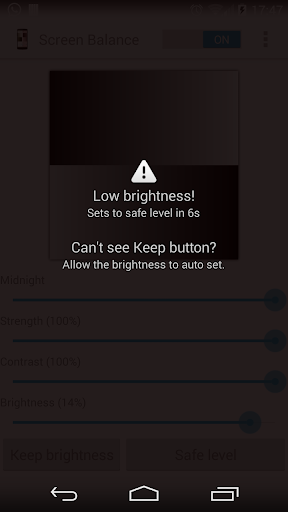
✓ Safety feature to auto reset brightness if set too low by accident.
✓ Dark and Light themes - allows you to accurately test white balance and prevent eye strain at night and to test your color balance.
✓ Independently adjust brightness and tint as per your requirements.
✓ Due to popular demand, we have ensured that the App stops from appearing on the Android task list.
✓ Apply settings automatically on device boot.
✓ Save color profiles and settings.
✓ Inherently low resource use with no noticeable impact on performance and battery.