Focusmeter: Pomodoro Timer


Focusmeter: Pomodoro Timer Summary
Focusmeter: Pomodoro Timer is a with in-app purchases Android app in Productivity by zeitic.co. Released in Mar 2019 (7 years ago). It has about 463.5K+ installs and 4.2K ratings with a 4.58★ (excellent) average. Based on AppGoblin estimates, it reaches roughly 11K monthly active users and generates around $<10K monthly revenue (100% IAP / 0% ads). Store metadata: updated May 4, 2026.
Recent activity: 1K installs this week (2.4K over 4 weeks) showing steady growth , and 13 new ratings this week View trends →
Store info: Last updated on Google Play on May 4, 2026 .
4.58★
Ratings: 4.2K
Screenshots

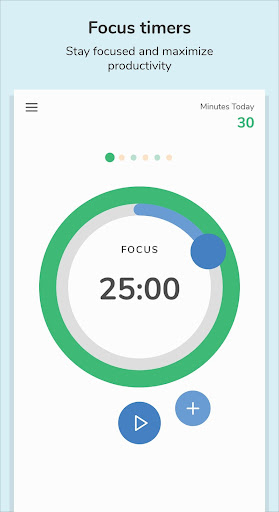


App Description
The timer that tracks your focus & rest for better productivity and health.
Focus is important for productivity, but rest is equally important too! Focusmeter helps you to maximize your productivity by balancing focus and rest.
HOW IT WORKS:
1️⃣ Setup your routine: customize the length of your Focus and Rest timers.
2️⃣ Start your first Focus timer. 👨💻
3️⃣ After your timer is completed, it's time for a break. ☕
4️⃣ Start the next Focus timer and stay productive! 👨💻
FEATURES
Timer features:
⏲ CUSTOMIZE your own timers. Pomodoro or 52/17, easily customize what works for you!
🔔 CHOOSE your own Focus and Rest alerts when the timer is completed or about to be completed.
⏱️ STOPWATCH or normal timers: Both counting up and counting down timers supported.
➕ EXTEND timers if you need just a bit more time!
🌠 TRANSITION automatically between focusing or rest. Or manual if you prefer.
🌕 CLEAN and SIMPLE interface.
Analytics features
🏷️ TAG Focus and Rest sessions and keep track of distractions.
📈 STATISTICS to get insights for individual tags over time.
✨ INSIGHTS from your past activities in a month, week or day. See how your routine has been working for you.
Timeline features:
📝 EDIT your timeline/activities. Never forget to track your time.
✍️ Add NOTES to your timers.
➕ ADD sessions/timers anytime.
⏱️ TRACK time in minutes, hours or sessions.
Other great features:
📎 APP SHORTCUTS to start timers quickly
👏 REPEATED completed alerts, in case you missed the completed alert. Extra time is also added.
🏃 Runs in the background. This app does not need to be constantly open to work.
🔕 Activate DO NOT DISTURB during timers.
🔄 LANDSCAPE and FULLSCREEN mode supported.
🌙 DARK/NIGHT theme.
📏 LONG sessions of up to 3/4/5 hours supported.
🎨 TAG colors supported.
📥 Export your data anytime in CSV or JSON format.
📁 AUTOMATIC backup if your Google account is connected. Please visit https://support.google.com/android/answer/2819582?hl=en for more information.
✨ Support us with PRO FEATURES ✨
📈 EXTENDED tag and date analytics
🎨 CUSTOMIZE UI colors and more tag colors
⏱️ Start timers earlier/change duration with the TIME MACHINE
🌅 Custom START OF DAY for night owls
Watch for new features coming soon!
Visit our website for more info: https://focusmeter.app
Find our FAQ here: https://focusmeter.app/faqs.html
* Focusmeter runs in the background, please visit https://dontkillmyapp.com/ to check if your phone/device supports background services.