Collage Maker - Photo Editor


Collage Maker - Photo Editor Summary
Collage Maker - Photo Editor is a ad-supported, with in-app purchases Android app in Photo And Video by Apps Wing. Released in Oct 2024 (1 year ago). It has about 481.7K+ installs Based on AppGoblin estimates, it reaches roughly 3.1K monthly active users and generates around $<10K monthly revenue (34% IAP / 66% ads). Store metadata: updated Mar 16, 2026.
Recent activity: 77 installs this week (270 over 4 weeks) showing steady growth View trends →
Store info: Last updated on Google Play on Mar 16, 2026 .
4.64★
Ratings: 0
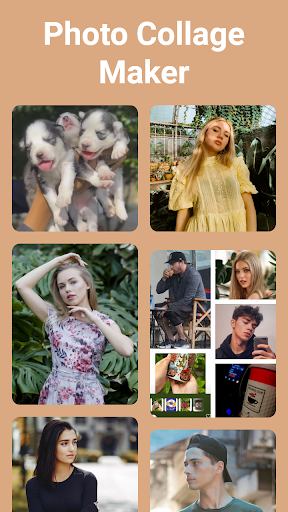
Screenshots



App Description
Photo collage maker to make collage with multiple layouts, filters, and stickers
Collage Maker App is a creative tool to combine photos into one frame. It provides various layouts and frames, along with backgrounds, stickers, and filters. Adjust the size and border of your photo collage, and even add text with ease. Once you're happy with your creation, save it in high resolution and share it with friends or on social media. Collage Maker - Photo Editor is a great way to showcase memories or edit your pictures in one place.
Main Features:
• Combine two or more photos with a photo blender.
• Variety of layouts, filters, and photo frames.
• Mix and match images from your gallery.
• Crop and edit photos with a collage editor.
• Add text and emojis to make memes.
• Photo collage with grid and freestyle.
• Use backgrounds, stickers, and templates.
• Snap photos directly for instant collages.
• Customize the collage ratio.
• Make grid art and share it easily.
Photo Grid:
Photo Collage Maker - Photo Editor provides multiple layouts to arrange your photos in grids. Easily customize grid size, border, background, and ratio to create the photo grid that you need.
Side by Side Photos:
Use side-by-side photos and make exciting social media posts. You can show before and after pics in one photo frame. You can also use this app as a photo merger to combine multiple photos with stylish layouts.
Meme Generator:
Collage Maker - Photo Editor can also be used as a meme generator. Add fun to your collages by adding emojis and text to share them on social media platforms.
Edit Photos:
Edit your photos with Collage Maker - Photo Editor. Crop, apply filters, and even add backgrounds to make your photos fancy instead of boring. Photo Collage Editor is a powerful app and has everything you need.
Freestyle:
Add photos to a blank canvas and move them as you need. With Pic Collage Maker, add text, emojis, and stickers to create your scrapbook. Pic Stitch & Layout app allows you to get creative with your photos.
Photo Frames:
Transform photos into amazing memories with a collection of photo frames. Choose from a variety of styles to enhance your pictures with the Pic collage editor.
Easy Sharing:
Make awesome photo art and share it with Collage Maker. Combine photos of your loved ones in a single frame and spread the joy. Each photo collage shows how