3D Tetra Drop

3D Tetra Drop Summary
3D Tetra Drop is a ad-supported Android app in Casual by Angels Inc Games. Released in Jul 2022 (3 years ago). It has about 562+ installs Based on AppGoblin estimates, it reaches roughly 25 monthly active users and generates around $<10K monthly revenue (0% IAP / 100% ads). Store metadata: updated Nov 19, 2023.
Recent activity: 3.00 installs this week (137 over 4 weeks) showing steady growth View trends →
Store info: Last updated on Google Play on Nov 19, 2023 .
0★
Ratings: 0
Screenshots

App Description
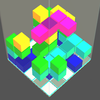
Drop 3D blocks to form complete levels. Similar to normal Tetris but in 3D.
OVERVIEW
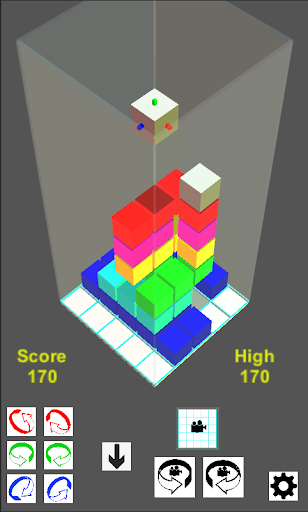
* 3D Tetra Drop is similar to the well-known 2D Tetris game but uses 3D shapes and playing area with smooth, high quality graphics and animations.
* Move, rotate and drop 3D shapes of varying difficulty onto the 5 x 5 base.
* Clear a layer and score a bonus by completely filling it.
* Two separate play modes: Free Play and Demolition,
FREE PLAY MODE
* Play as long as you can while you keep clearing levels.
* Unlimited tiles but game speeds up progressively.
* 18 difficulty levels (6 tile sets x 3 game speeds). Can you beat your high score for each level?
DEMOLITION MODE
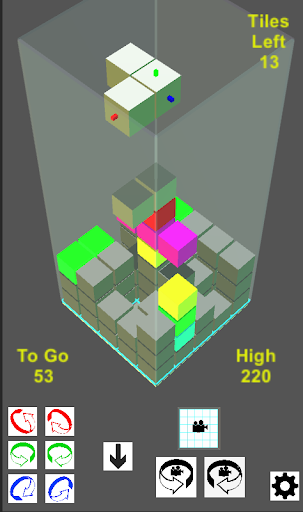
* Each level starts with different numbers of grey cubes on the board.
* Can you clear them all by filling the gaps before you run out of tiles?
* 100+ levels which become progressively harder.
TILE MOVEMENT
* Three simple steps to line up each tile as it drops: Move - Rotate - Drop.
* Move the tile horizontally by touching, dragging in the required direction and lifting the finger.
* Rotate the tile around any axis by touching one of the rotation buttons. The buttons are colour-coded to match the axes shown on the active tile.
* Drop the tile down to the base by touching the down button. Hint: use the shadow of the tile on the base to judge when it is lined up correctly before dropping it!
OTHER FEATURES
* In-app Help page which summarises the game controls.
* 10 background music tracks (which can be turned off if desired).
* Rotate the direction of view using the camera rotation icons.
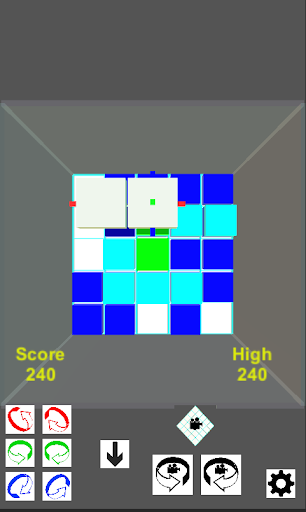
* Switch between side view and top view as desired.