World Edit Mod Addon for Mcpe

14.9K installs
Ratings not yet available
+149 weekly installs
trend steady
+961 monthly installs
trend steady
World Edit Mod Addon for Mcpe icon

ASO Keyword Dashboard

Tracking 156 keywords for World Edit Mod Addon for Mcpe in Google Play

Developer: Barkah Richmedia Category: tools

World Edit Mod Addon for Mcpe tracks 156 keywords (no keywords rank yet; 156 need traction). Key metrics: opportunity 68.7, difficulty 50.2.

Transform your Minecraft worlds with this powerful world edit mod addon!

Tracked keywords

156

0  ranked •  156  not ranking yet

Top 10 coverage

Best rank — • Latest leader —

Avg opportunity

68.7

Top keyword: path

Avg difficulty

50.2

Lower scores indicate easier wins

Opportunity leaders

  • path

    Opportunity: 73.0 • Difficulty: 46.4 • Rank —

    Competitors: 1,024

    67.8
  • block

    Opportunity: 73.0 • Difficulty: 59.8 • Rank —

    Competitors: 1,927

    68.7
  • air

    Opportunity: 73.0 • Difficulty: 51.5 • Rank —

    Competitors: 1,351

    67.6
  • mix

    Opportunity: 73.0 • Difficulty: 56.9 • Rank —

    Competitors: 1,571

    67.5
  • often

    Opportunity: 73.0 • Difficulty: 49.9 • Rank —

    Competitors: 755

    68.1

Unranked opportunities

  • path

    Opportunity: 73.0 • Difficulty: 46.4 • Competitors: 1,024

  • block

    Opportunity: 73.0 • Difficulty: 59.8 • Competitors: 1,927

  • air

    Opportunity: 73.0 • Difficulty: 51.5 • Competitors: 1,351

  • mix

    Opportunity: 73.0 • Difficulty: 56.9 • Competitors: 1,571

  • often

    Opportunity: 73.0 • Difficulty: 49.9 • Competitors: 755

High competition keywords

  • like

    Total apps: 150,415 • Major competitors: 21,531

    Latest rank: — • Difficulty: 68.5

  • enjoy

    Total apps: 131,386 • Major competitors: 18,531

    Latest rank: — • Difficulty: 63.0

  • access

    Total apps: 126,428 • Major competitors: 11,667

    Latest rank: — • Difficulty: 66.6

  • using

    Total apps: 114,758 • Major competitors: 13,323

    Latest rank: — • Difficulty: 64.0

  • choose

    Total apps: 100,655 • Major competitors: 14,766

    Latest rank: — • Difficulty: 62.1

All tracked keywords

Includes opportunity, difficulty, rankings and competitor benchmarks

Major Competitors
mode691006578

35,564 competing apps

Median installs: 53,723

Avg rating: 3.1

5,505

major competitor apps

change681005580

48,309 competing apps

Median installs: 42,177

Avg rating: 3.0

6,101

major competitor apps

commands701004655

1,550 competing apps

Median installs: 37,022

Avg rating: 3.0

197

major competitor apps

single691005677

32,754 competing apps

Median installs: 37,118

Avg rating: 2.9

3,952

major competitor apps

source721005269

11,396 competing apps

Median installs: 27,566

Avg rating: 2.9

959

major competitor apps

enjoy651006387

131,386 competing apps

Median installs: 45,784

Avg rating: 3.0

18,531

major competitor apps

via681005881

54,601 competing apps

Median installs: 29,805

Avg rating: 2.7

5,243

major competitor apps

swap711004659

2,978 competing apps

Median installs: 50,897

Avg rating: 3.3

485

major competitor apps

within681005680

45,953 competing apps

Median installs: 29,549

Avg rating: 2.8

4,617

major competitor apps

active721005270

13,334 competing apps

Median installs: 30,112

Avg rating: 2.9

1,388

major competitor apps

used671006182

61,233 competing apps

Median installs: 32,225

Avg rating: 2.8

5,711

major competitor apps

manage671006282

61,484 competing apps

Median installs: 27,358

Avg rating: 2.9

6,560

major competitor apps

integrity691003648

663 competing apps

Median installs: 22,647

Avg rating: 2.7

49

major competitor apps

working711005673

18,347 competing apps

Median installs: 30,163

Avg rating: 2.8

1,742

major competitor apps

choose661006285

100,655 competing apps

Median installs: 46,844

Avg rating: 3.0

14,766

major competitor apps

using651006486

114,758 competing apps

Median installs: 37,480

Avg rating: 2.8

13,323

major competitor apps

menu721006571

13,685 competing apps

Median installs: 28,103

Avg rating: 3.0

1,278

major competitor apps

basic711005373

18,440 competing apps

Median installs: 33,512

Avg rating: 2.8

1,756

major competitor apps

delete721006969

10,656 competing apps

Median installs: 46,142

Avg rating: 3.0

1,439

major competitor apps

multiple671006282

58,884 competing apps

Median installs: 44,428

Avg rating: 3.0

8,314

major competitor apps

video681006779

44,741 competing apps

Median installs: 49,603

Avg rating: 2.9

6,431

major competitor apps

various671005883

74,125 competing apps

Median installs: 40,134

Avg rating: 2.8

9,464

major competitor apps

directly681005880

50,750 competing apps

Median installs: 28,866

Avg rating: 2.8

5,021

major competitor apps

path731004668

9,345 competing apps

Median installs: 33,245

Avg rating: 3.0

1,024

major competitor apps

access651006787

126,428 competing apps

Median installs: 25,852

Avg rating: 2.8

11,667

major competitor apps

156 keywords
1 of 7

App Description

Transform your Minecraft worlds with this powerful world edit mod addon!

Transform your Minecraft worlds with this powerful world edit mod addon! For complete details, check out the included video and the in-addon guide book. (Creative Mode recommended).

Getting Started: Access tools via commands (e.g., /give @s bn:selection_wand) or creative inventory. Sneak Use often reveals more options!

This guide world edit mod addon:

-Settings Tool (bn:bwe_settings): Your hub for addon customization. Adjust world settings (particles, undo limit, brush size) and player settings (creative flight speed, Auto Spectator).

Selection & Basic Operations:

1. Selection Wand (bn:selection_wand): Define a 3D area (Pos A & Pos B) for editing. Sneak Use to expand/contract, view info, or clear.

2. Clipboard Tools:
Copy (bn:copy): Copies your selection (optionally with entities) to clipboard.
Cut (bn:cut): Copies selection then removes original blocks.
Paste (bn:paste): Pastes clipboard contents. Sneak Use for advanced options like pasting at original location, entity control, integrity (ruined look), rotation, and mirroring.

3. History Tools:
Undo (bn:undo): Reverts your last addon operation.
Redo (bn:redo): Re-applies an undone operation.
Understanding Material Input: Specify blocks as a single ID (e.g., stone) or a Weighted Block Mix (e.g., stone:5,dirt:1) for randomized, natural-looking placements.

4. The Edit Tool (bn:edit): Opens a menu for various selection-based operations:
Fill Options: Fill selection solid, hollow, as a frame, or just walls.
Replace Blocks: Swap specific blocks within the selection.
Generate Terrain: Procedurally create landscapes (see Advanced Features).
Count Blocks: Tallies block types in selection.
Stack/Repeat Selection: Duplicate your selection multiple times in a chosen direction.
Edit Selection In Place: Rotate, mirror, or offset blocks within the selection.
Manage Palettes: Access the Palette System.
Preset Actions: Quick actions like removing trees, liquids, or flattening terrain.

Creative Building & Landscaping: Brush Tools "Paint" blocks into the world. Sneak Use any brush to change its settings (shape, size, material source - Manual, Active Palette, Saved Palette).

1. Regular Brush (bn:brush): Places blocks in various shapes (Sphere, Cube, Cylinder, etc.). Can be hollow or have soft/feathered edges.
2. Paint Brush (bn:paint_brush): Replaces existing non-air blocks. Can use a mask to only paint over specific block types.
Mask Picker Tool (bn:mask_picker): Quickly add/remove blocks to the Paint Brush mask.
3. Height Brush (bn:height_brush): Raises or lowers terrain within the brush shape.
4. Foliage Brush (bn:foliage_brush): Scatters plants using presets or custom lists.

Detailing & Construction: Line & Path Tools

1. Line Tool (bn:line_tool): Draws a 1-block thick line between two set points using chosen materials.
2. Path Tool (bn:path_tool): Create paths by connecting multiple points. Sneak Use to finish path, set material, choose shape (Linear, Smooth, Bezier, Arc), adjust width, and manage points.

Advanced Features:

1. Terrain Generation (via Edit Tool): Procedurally generate landscapes within your selection using noise algorithms (Simplex, FBM, Worley). Customize base/surface materials, height, scale, seed, and advanced parameters like FBM octaves or Domain Warp for natural effects.
2. Palette System: Create and reuse collections of blocks (with weights).
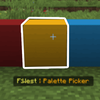
Palette Picker Tool (bn:palette_picker): Add/remove blocks from your temporary "Active Palette."
Active Palette: Your current working block mix, used by many tools.
Manage Palettes (via Edit Tool): Load, edit, save, create, or delete permanent "Saved Palettes." Create palettes directly from a selection's contents.

Install and enjoy the world edit mod for minecraft pocket edition with your friends!