Resolution

Resolution Summary
Resolution is a ad-supported Android app in Books And Reference by Andrew L. Barlow. Released in Dec 2016 (9 years ago). It has about 18.3K+ installs and 78 ratings with a 4.93★ (excellent) average. Based on AppGoblin estimates, it reaches roughly 1.5K monthly active users and generates around $<10K monthly revenue (0% IAP / 100% ads). Store metadata: updated Jul 19, 2025.
Recent activity: 14 installs this week (62 over 4 weeks) showing steady growth View trends →
Store info: Last updated on Google Play on Jul 19, 2025 .
4.93★
Ratings: 78
Screenshots


App Description
Use Ernst Abbe's famous formula to characterize microscope objective lenses.
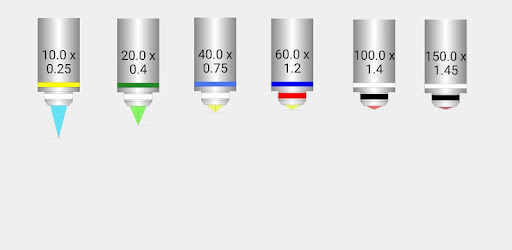
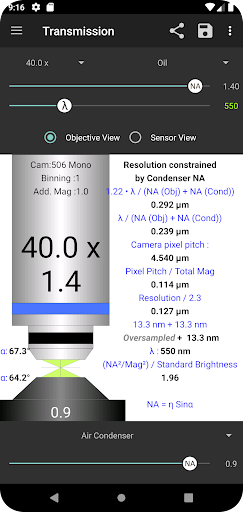
Characterize your microscope objective lenses, see how well matched they are to your microscope's image acquisition system. Input the magnification, immersion medium (air, oil, glycerol or silicone oil), NA (numerical aperture) and wavelength of light (lambda), to calculate the lateral resolution, axial resolution and fluorescence brightness of the objective. Characterize your acquisition system (camera pixel size, camera binning and additional magnification) to check if you're sampling at Nyquist frequency. Each of your objectives can be saved and easily restored, and shared with other microscopists via e-mail, MMS, Linked-In or even Facebook (why not?). The equations used for the calculations can be displayed by selecting the "Show Equations" option from the App bar menu. The sources of equations are referenced in the "About" box.
* Theoretical Resolution is calculated according Ernst Abbe's famous equation (Abbe 1873)
* Actual Resolution is calculated according to ‘The Rayleigh Criterion’
* Axial Resolution is calculated according to Inoue's chapter in Jim Pawley's “Handbook of Biological Confocal Microscopy” (3rd edition 2006)
* Camera pixel size can be loaded from the list of cameras, if your camera is not in the list, you can enter it manually in the Camera dialog.
* Select the "share" icon to share all output to e-mail, MMS or Linked-In
* Access features from the App Bar Menu (the "three dots" icon - top right)
* Click on the "Lambda" or "NA" text fields to open dialogs that directly set these values
* It doesn't matter if your microscope was made by Zeiss, Evos, Leica, Olympus, Nikon, Motic, or Meiji Techno, the principles are identical and you will find the app useful.
* The list of cameras in the Camera dialog includes those made by Andor, Hamamatsu, Photometrics, PCO, QImaging, Leica, Olympus, Nikon, and Zeiss.