LCD simple

LCD simple Summary
LCD simple is a mobile Android app in Personalization by Design Poetry. Released in Nov 2023 (2 years ago). It has about 391.3K+ installs and 2.1K ratings with a 2.93★ (poor) average. Based on AppGoblin estimates, it reaches roughly 4.9K monthly active users . Store metadata: updated Nov 28, 2023, version 2.
Recent activity: 852 installs this week (2.8K over 4 weeks) showing steady growth , and 6.00 new ratings this week View trends →
Data tracking: SDKs and third-party integrations were last analyzed on May 4, 2026. The app's network data flows (API traffic to/from the app and its SDKs) were last crawled on Aug 15, 2025.
Store info: Last updated on Google Play on Nov 28, 2023 (version 2).
SDKs, Trackers & Permissions
LCD simple was last scanned for SDKs 2026-05-04. Below is the overview of third party companies detected in the app. The full list of raw SDKs, app permissions and unknown SDKs is available here.
AppGoblin saw LCD simple uses 3 Development Tools
 Kotlin
 JetBrains IntelliJ
 JetBrains
App Details
App Store
Ads & App-Ads.txt
AppGoblin SDK Scans
2.93★
Ratings: 2.1K
Screenshots

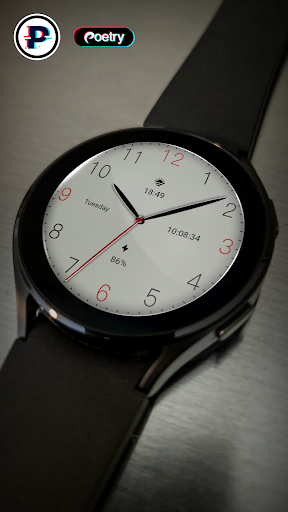
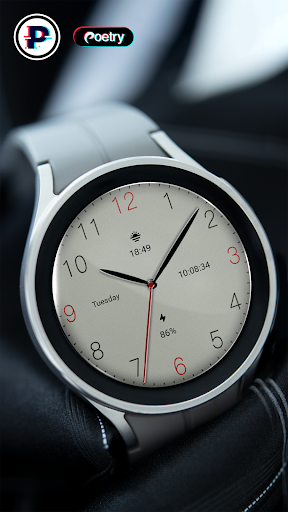
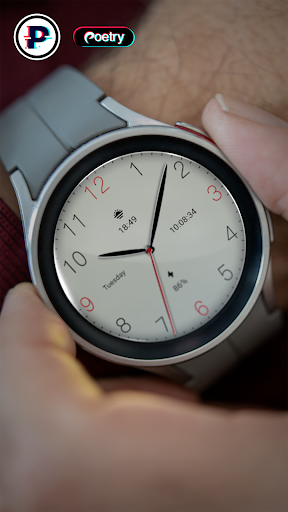
App Description
Free stylish watch faces of LCD type!
A free fashionable LCD type watch face!
Only available on Wear OS 3+ (API 30+) devices
Features:
- LCD series
- Sunset
- power
- digital time
- Week
Installation options:
1. Keep the watch connected to your phone.
2. Install into your phone. Once installed, immediately press and hold the display to check the list of watch faces in your watch, then swipe to the end and click Add Watch Face. There you can see your newly installed watch face and activate it.
3. After the installation is complete, you can also check the following:
A: For Samsung watches, check the Galaxy Wearable app on your phone (install it if you haven't already). Under Watch Faces > Downloaded, you can see your newly installed watch face and apply it to your connected watch.
B. For other smart watch brands, for other Wear OS devices, please check the watch app installed in your smart watch brand phone and find the newly installed watch face in the watch face gallery or list.
4. Also visit the link below which shows many options on how to install a Wear OS watch face in your watch.
https://developer.samsung.com/sdp/blog/en-us/2022/11/15/install-watch-faces-for-galaxy-watch5-and-one-ui-watch-45