Secret Screenshot - Hidden


Secret Screenshot - Hidden Summary
Secret Screenshot - Hidden is a ad-supported, with in-app purchases Android app in Tools by 7afidi. Released in Aug 2021 (4 years ago). It has about 34.9K+ installs and 269 ratings with a 2.68★ (poor) average. Based on AppGoblin estimates, it reaches roughly 1.9K monthly active users and generates around $<10K monthly revenue (53% IAP / 47% ads). Store metadata: updated Feb 26, 2026.
Recent activity: 516 installs this week (1.5K over 4 weeks) showing exceptional growth View trends →
Store info: Last updated on Google Play on Feb 26, 2026 .
2.68★
Ratings: 269
Screenshots


App Description
Capture secret screenshots via floating button. Privacy vault, no notifications.
Take a secret screenshot of any app without being detected.
Secret Screenshot - Hidden is the ultimate privacy tool for users who need to capture their screen discreetly. Whether you are saving a chat history or capturing a fleeting image, our app ensures your activity remains completely anonymous.
Unlike standard capture tools, our app uses a floating screenshot button to snap images without triggering the system shutter sound or sending screenshot notifications to other apps.
Why Choose This App?
🔒 100% Secret & Undetectable Capture a secret screenshot on apps that usually block or notify users of screen captures. Our technology works silently in the background, ensuring your privacy is never compromised.
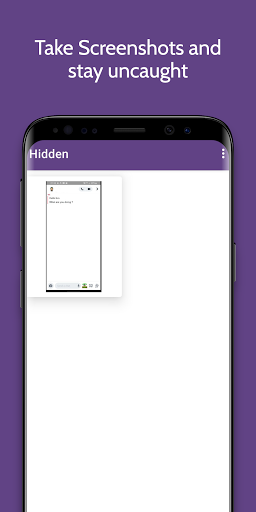
📂 Hidden Storage Vault Your captures don't go to your public phone gallery. They are saved directly to a secure, hidden screenshot folder within the app. Only you can access them.
🔘 Floating Screenshot Button Our unobtrusive floating button sits on top of any app. One tap is all it takes to capture the screen instantly. No need to fumble with hardware buttons.
Key Features:
Secret Screenshot Mode: Capture screens without flash, sound, or notifications.
Secure Gallery: Keep your images in a secure screenshot locker separate from your main gallery.
PIN Protection: Secure your hidden screenshots with a PIN code so nobody else can view them.
Auto-Save Options: Choose to save to our private vault or export to your main gallery when safe.
Quick Settings Tile: Launch the tool directly from your notification shade.
How It Works:
Open the app and grant the necessary permissions.
Tap "Start" to enable the floating screenshot icon.
Navigate to the app you want to capture.
Tap the floating button to take a secret screenshot.
View your captures inside the app's secure gallery.
This app is designed for privacy-conscious users who need a reliable screenshot vault. Whether you are looking for a way to keep your captures safe or need a simple tool for discreet capturing, Secret Screenshot - Hidden is the solution.
Download today and keep your screen history safe.