Graffiti Pro for Android


Graffiti Pro for Android Summary
Graffiti Pro for Android is a mobile Android app in Productivity by 株式会社ACCESS. Released in Jan 2011 (15 years ago). It has about 40K+ installs and 1.1K ratings with a 4.09★ (good) average. Based on AppGoblin estimates, it reaches roughly 142 monthly active users . Store metadata: updated Jun 20, 2023.
Store info: Last updated on Google Play on Jun 20, 2023 .
4.09★
Ratings: 1.1K
Screenshots
App Description
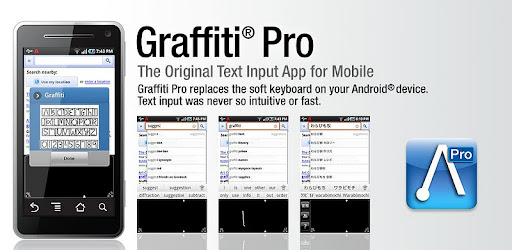
Tired of your on-screen keyboard? Try Graffitiーthe popular stroke input system.
Download Graffiti™ - The Keyboard Replacement for Android that uses the stroke-based handwriting recognition system text input system made popular by Palm™ PDAs running PalmOS™.
Features:
-Replaces the Default Keyboard for Android
-Stroke-based text input - Uses the Graffiti™ alphabet text input method
-Easy to Learn
- Speeds up text input with Auto-Capitalization and Word Learning
-English and Japanese language support
-Faster and More Accurate that On-Screen Typing
-Advertisement Free
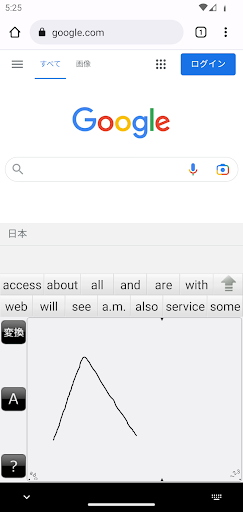
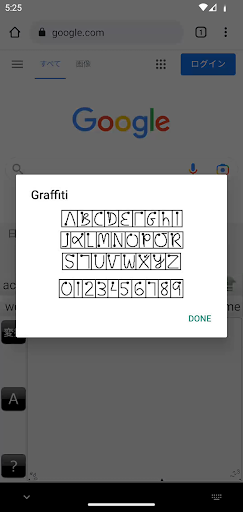
Graffiti™ is a replacement for the built-in on-screen keyboard, also called an input method. With Graffiti, you no longer type but you draw Graffiti characters with your finger or a compatible stylus. Graffiti characters are mostly single-stroke drawings that closely match the usual alphabet, but are simplified to make entry faster and easier. For example, the letter "A" is entered with a stroke that looks like an upside-down "V", saving time that you do not need to cross the "A" in the middle. Same for the letter "T", which is entered almost like a "7".
There are text and numeric input areas, improving the recognition of your input. Strokes drawn in the text area will only be interpreted as letters; strokes in the numeric area will be interpreted as numbers .
If you were a user of a PalmOS based PDA in the past, this will all be very familiar to you as the input method used by those devices was a stylus drawing Graffiti strokes in an input area at the bottom of the display. But even if you were not a Graffiti user before, you should give it a try now if you find that the on-screen keyboard doesn't suit your input style.
Don't know the Graffiti alphabet? After installing and enabling Graffiti, just draw a stroke up from the Graffiti input area into the main display area and the help screen appears. Tap to switch between the six stroke help screens.
Questions? Please see the FAQ at our website.