Remove Background: BG Changer


Remove Background: BG Changer Summary
Remove Background: BG Changer is a ad-supported, with in-app purchases Android app in Tools by T&T Company. Released in Feb 2023 (3 years ago). It has about 242.8K+ installs and 501 ratings with a 4.24★ (good) average. Based on AppGoblin estimates, it reaches roughly 8K monthly active users and generates around $<10K monthly revenue (22% IAP / 78% ads). Store metadata: updated Nov 16, 2024.
Recent activity: 6.00 installs this week (25 over 4 weeks) showing declining growth View trends →
Store info: Last updated on Google Play on Nov 16, 2024 .
4.24★
Ratings: 501
Screenshots



App Description
Remove Background: BG Changer: a versatile and easy-to-use photo editing app
Remove Background: BG Changer
How to erase background of my photo? How to change background of my photo? 🤔
You will find answers to these questions by installing this awesome photo app.
Background Changer is the all-in-one app that edits, designs and optimizes great visual content that helps you run your business from your phone. Remove or erase the background of photos, use templates and create your own content.
Why Photo Background changer app should be downloaded?
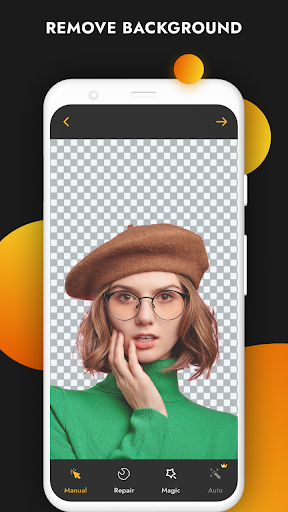
This app uses AI methodology to remove unwanted objects and humans separated automatically. Human edges are so smooth in this App like never before. Once you change wallpaper then we added a complete editor as Post processing to polish your photos like never before!
⭐⭐⭐ Main Features ⭐⭐⭐
★ Automatic background eraser and remover. It can erase background from photo and remove unwanted objects from photos.
★ Save and share a photo without background.
★ Change picture background with a one of predefined images or replace background with your own picture.
★ You can make awesome collages very fast using this background image editor. For example, you can crop head on body or change photo background to some cool picture.
⭐⭐⭐ How to use the automatic background changer? ⭐⭐⭐
1. Choose a photo from your gallery.
2. Crop photo as much as possible to get a picture of better quality.
3. Wait for the magic to happen. If there are no people on the photo, the app can't do anything, but you can use an eraser tool to cut out photo. (Now it can also cut out background from photos of cats and dogs, not only people! 🐱)
4. Use an eraser tool to edit a photo and erase unwanted objects from photo.
5. Select any background that you want from gallery and change photo background.
6. Make a collage and share.