Score Keeper - Any Game


Score Keeper - Any Game Summary
Score Keeper - Any Game is a with in-app purchases Android app in Tools by Dozy Apps. Released in Jul 2019 (6 years ago). It has about 1.6K+ installs and 11 ratings with a 4.43★ (good) average. Based on AppGoblin estimates, it reaches roughly 57 monthly active users and generates around $<10K monthly revenue (100% IAP / 0% ads). Store metadata: updated Feb 4, 2021.
Recent activity: 1.00 installs this week (1.00 over 4 weeks) showing steady growth View trends →
Store info: Last updated on Google Play on Feb 4, 2021 .
4.43★
Ratings: 11
Screenshots


App Description
An efficient way to keep track of scores for games.
Easy to use and there are no ads or pesky permissions.
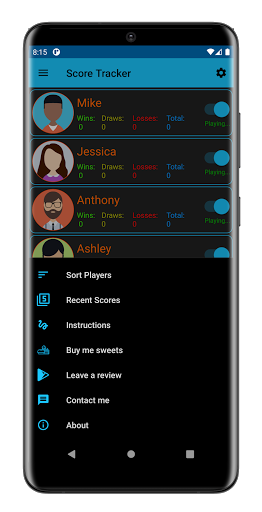
Score Tracker keeps track of scores for 100+ players and their wins, losses, draws, and the number of games played. In addition, players can easily choose the players they want to play in the game by simply pressing a switch to include them or not in the game.
Features include:
1. Deleting all players at once or individually.
2. Resetting all players at once or individually.
3. Sorting players by wins, losses, draws, and or games played.
4. See the scores for the player's last five games in a column chart.
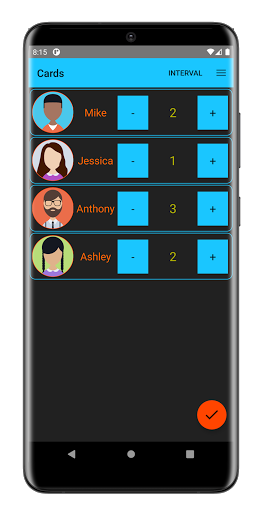
5. Changing the interval of points added or subtracted during the game.
6. See all games and continue them if desired.
7. Everything is saved once submitted including adding players, deleting players, starting games, changing the player name, and more.
8. If the app is closed during a game, then the next time it is opened, the user is prompted to continue the game or end it.
9. User can change a player icon by using a photo taken from the camera, by choosing a photo from their gallery, or by selecting an avatar (9 to choose from).
10. All game data including the game name, date it was created, and each player's name and score can be sent via email or copied to their clipboard to paste it wherever they want.
11: User can see the duration of each game and pause/reset it during a game. This feature can be turned on/off from the settings page.