LG TV Remote Control app


LG TV Remote Control app Summary
LG TV Remote Control app is a ad-supported, with in-app purchases Android app in House And Home by FutureAppsTechnology. Released in Feb 2025 (1 year ago). It has about 275.5K+ installs and 569 ratings with a 3.51★ (average) average. Based on AppGoblin estimates, it reaches roughly 18.6K monthly active users and generates around $<10K monthly revenue (40% IAP / 60% ads). Store metadata: updated Apr 13, 2026, version 30.
Recent activity: 1.6K installs this week (7.3K over 4 weeks) showing steady growth , and 15 new ratings this week View trends →
Data tracking: SDKs and third-party integrations were last analyzed on Jun 5, 2026. The app's network data flows (API traffic to/from the app and its SDKs) were last crawled on Sep 1, 2025.
Store info: Last updated on Google Play on Apr 13, 2026 (version 30).
SDKs, Trackers & Permissions
LG TV Remote Control app was last scanned for SDKs 2026-06-05. Below is the overview of third party companies detected in the app. The full list of raw SDKs, app permissions and unknown SDKs is available here.
AppGoblin saw LG TV Remote Control app uses 8 Development Tools
 JetBrains
 JetBrains IntelliJ
 Airbnb Engineering
 Square
AppGoblin saw LG TV Remote Control app uses 2 Ad Networks
 Facebook
 Google
AppGoblin saw LG TV Remote Control app uses 1 Analytics: Product
 Firebase
AppGoblin saw LG TV Remote Control app uses 1 Mediation
 AdMob
AdMobApp Details
App Store
Ads & App-Ads.txt
AppGoblin SDK Scans
3.51★
Ratings: 569
Screenshots

App Description
Easily manage LG TV & IR Devices with the Universal LG TV Remote Control app.
Misplaced your remote… once again? 😞
Struggling with drained batteries?
Confused by identical TV remotes that keep getting swapped?
Facing unresponsive remotes right when you need them the most?
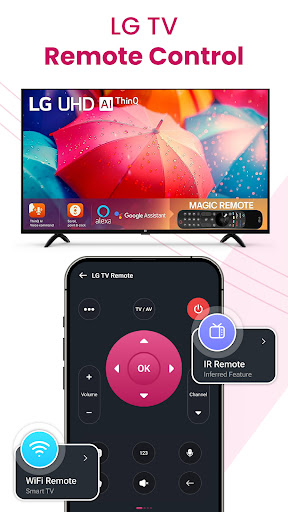
Control all LG TVs from a single app, eliminating the need to juggle various remotes. The app supports all LG brands. No need to worry about compatibility LG TV Remote Control adapts to each device’s unique functionality, giving you a smooth experience across all TVs.Get a fully functional remote right on your phone for LG TVs and other smart TV brands. Your solution for controlling LG tv models across 100+ countries. Easily add and manage your favorite channels for a personalized streaming experience with IPTV Player.
IR Smart LG TV Remote
If your phone has an IR (Infrared) blaster, control even traditional non-smart TVs. IR TV Remote Control provides the same functionality as a physical remote, allowing you to change channels, adjust volume, and switch inputs. You can control all LG TVs with an IR blaster-enabled phone.
With our IR Remote feature, you can easily control not just your TV, but also a wide range of devices like
AC (Air Conditioners)
Projectors
DVD Players
Audio-Visual Systems
Soundbars
Home Theater Systems
HDMI Switches
Cable/Satellite Boxes
🌟 Amazing Features Built into the LG TV Remote Control App
✔️ Turn your TV On/Off effortlessly
✔️ Adjust the volume (Increase/Decrease/Mute)
✔️ Browse channels with ease (Up/Down, Numbers)
✔️ Navigate the full menu without hassle
✔️ Simple and intuitive directional controls
✔️ Voice-to-Text functionality for quick input
✔️ Convenient typing with a built-in keyboard
✔️ Cast your screen – stream web, photos, and videos
✔️ Stream seamlessly with the IPTV Player
Screen Mirroring & Cast To TV
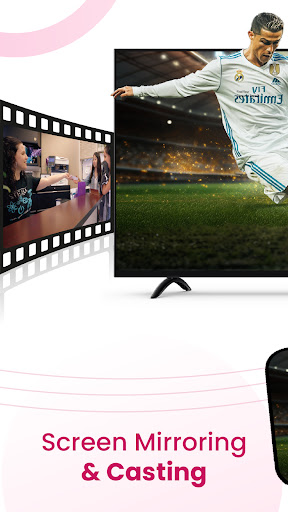
Instantly cast your phone’s screen onto your TV to enjoy apps, photos, videos, and games. This feature supports screen mirroring, screencasting, and webcasting, making it easy to share presentations, watch content on a larger screen, or games without lags.
Web casting
Directly cast web pages from your browser to the LG TV screen. Browse your favorite websites, watch online videos, and display web content easily.
💡 Important Notes
Make sure your phone and TV are connected to the same Wi-Fi network. For IR TVs,