Circle Dashboard Watch Face
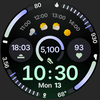

Circle Dashboard Watch Face Summary
Circle Dashboard Watch Face is a mobile Android app in Personalization by amoledwatchfaces™. Released in Oct 2025 (8 months ago). It has about 1.2K+ installs and 36 ratings with a 4.88★ (excellent) average. Based on AppGoblin estimates, it reaches roughly 56 monthly active users . Store metadata: updated Apr 26, 2026.
Recent activity: 29 installs this week (106 over 4 weeks) showing steady growth View trends →
Store info: Last updated on Google Play on Apr 26, 2026 .
4.88★
Ratings: 36
Screenshots


App Description
Sleek, highly customizable watch face inspired by Galaxy Watch Circle Dashboard.
Only for Wear OS 4+ devices
Inspired by Circle Dashboard watch face from Galaxy Watch 8 series.
Powered by Watch Face Format 4
amoledwatchfaces.com
BUY ONE GET ONE OFFER
amoledwatchfaces.com/bogo
CUSTOM COMPLICATION APPS
amoledwatchfaces.com/apps
FEATURES
• Watch Face Format 4
• watch face presets (flavors) (Wear OS 5+)
• 8 custom complication slots
• supported complication types - SHORT_TEXT, LONG_TEXT, RANGED_VALUE, MONOCHROMATIC_ICON, SMALL_IMAGE
• phone notifications complication support*
• new, material 3 expressive progress bars
• optional seconds indicator
• multilanguage
• true black background
• unlimited color theme combinations
• three always-on display styles
• battery friendly
• digital clock fonts
• digital clock blinking colon effect
• weather forecast, moon phases widget (Wear OS 5+)
• created in Android Studio
• custom app shortcut (complication)
• animated AOD entering (Wear OS 6+)
• adaptive complication text size
* requires Phone Battery Complication app
https://play.google.com/store/apps/details?id=com.weartools.phonebattcomp
USER CONFIGURATIONS
• Primary Theme (60+)
• Secondary Theme (60+)
• Tertiary Theme (60+)
• Digital Clock Font (5x)
• Date Format (6x)
• Circular Widget (Weather*, Moon Phases, Full Date)
• Weather Icon Pack* (2x)
• Weather Provider* (4x)
• AOD (3x)
• Custom Complications (8x)
• Leading Zero (Toggle)
• Seconds Indicator (Toggle)
• Complications Background (Toggle)
• Percentage Type Arcs (Toggle)
• Vivid Digital Clock** (Toggle)
* weather source type is only available on Wear OS 5+
** supported on Wear OS 6+
Installation and troubleshooting guide
amoledwatchfaces.com/guide
Please send any issues reports or help requests to our support address
support@amoledwatchfaces.com
Join our Telegram group for live support and discussion
t.me/amoledwatchfaces
Newsletter
amoledwatchfaces.com/contact#newsletter
amoledwatchfaces™ - Awf