Maps Speed Limits & Alerts


Maps Speed Limits & Alerts Summary
Maps Speed Limits & Alerts is a with in-app purchases Android app in Travel And Local by Amphebia. Released in Aug 2015 (10 years ago). It has about 131.5K+ installs and 668 ratings with a 2.23★ (poor) average. Based on AppGoblin estimates, it reaches roughly 14.3K monthly active users and generates around $<10K monthly revenue (100% IAP / 0% ads). Store metadata: updated Apr 29, 2026.
Recent activity: 114 installs this week (381 over 4 weeks) showing steady growth , and 1.00 new ratings this week View trends →
Data tracking: SDKs and third-party integrations were last analyzed on Apr 15, 2026. The app's network data flows (API traffic to/from the app and its SDKs) were last crawled on Jun 16, 2025.
Store info: Last updated on Google Play on Apr 29, 2026 .
SDKs, Trackers & Permissions
Maps Speed Limits & Alerts was last scanned for SDKs 2026-04-15. Below is the overview of third party companies detected in the app. The full list of raw SDKs, app permissions and unknown SDKs is available here.
AppGoblin saw Maps Speed Limits & Alerts uses 1 Development Tools
 Google
App Details
App Store
Ads & App-Ads.txt
AppGoblin SDK Scans
2.23★
Ratings: 668
Screenshots

App Description
Maps Speed Limits shows limits and warns you when speeding in any app
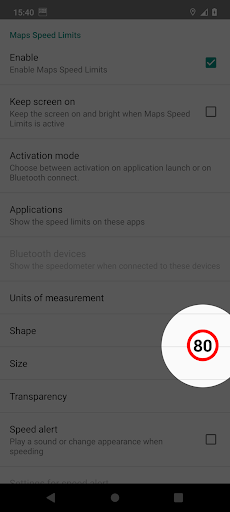
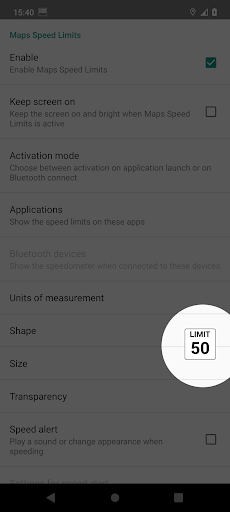
Maps Speed Limits shows the current speed limit as an overlay on top of any app, and can warn you when you're speeding. It automatically detects when a selected app is active and displays a clean, customizable speed limit indicator.
FEATURES:
- Smart caching: the only app that stores small map areas locally for faster updates and reduced data usage;
- Speeding alert: Get notified when you're over the limit;
- No ads;
- Automatically appears only when one of your chosen apps is in use;
- Show or hide the overlay based on Bluetooth connection status (e.g. when entering your car);
- Switch between kilometers or miles per hour;
- Tap to hide the overlay for 10 seconds;
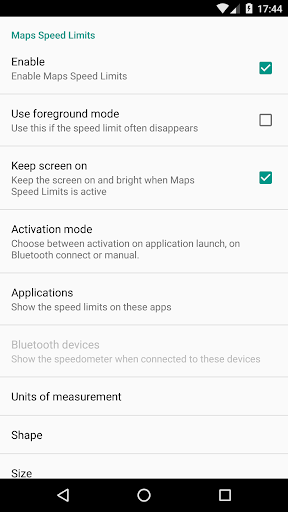
- Change the size, transparency, and on-screen position. Just drag it where you want it;
- Works with any app;
Please note that an internet connection is required to get the speed limits from our server.
CONTACT US:
If this app doesn’t work properly on your device, please contact us.
We’ll do our best to address the issue in the next update.
This app uses Accessibility services solely to detect the currently active app. This is needed to display the overlay only when one of your selected apps is running.
Note: Android Auto is not supported. Unfortunately, Google does not allow overlays to be shown on Android Auto.
PERMISSIONS:
Display system-level alerts
To display a speed limit overlay on top of other apps
Draw over other apps
With this permission, Maps Speed Limits can display the speed limit sign over other apps.
Precise location (GPS and network-based)
Required to read your location and speed from the GPS chip in your device.
Internet connection
Required to retrieve speed limit data from our server.
YOU MIGHT ALSO LIKE:
Maps Speedometer, an app to display your current speed.
Download: https://play.google.com/store/apps/details?id=com.amphebia.navigationspeedometer
HUD Speed Limits, shows speed limit, current speed, navigation, speeding alerts and more full-screen
Download: https://play.google.com/store/apps/details?id=com.amphebia.hudspeedlimits