Ringtone Maker-Audio Cutter


Ringtone Maker-Audio Cutter Summary
Ringtone Maker-Audio Cutter is a free, ad-supported Android app in Video Players by AndroidRock. Released in Feb 2016 (10 years ago). It has about 10.3M+ installs and 106K ratings with a 4.64★ (excellent) average. Based on AppGoblin estimates, it reaches roughly 694K monthly active users and generates around $10K+ monthly revenue (0% IAP / 100% ads). Store last updated Aug 30, 2026
Recent activity: 3.4K installs this week (12K over 4 weeks) showing steady growth , and 2.00 new ratings this week View trends →
SDK intelligence: AppGoblin detected 5 development tools(e.g. Google), 3 ad networks, 1 mediation,and 1 analytics: product integrated into Ringtone Maker-Audio Cutter. View full SDK list →
Data tracking: The app's network data flows (API traffic to/from the app and its SDKs) were last crawled on Jun 28, 2026.
Ringtone Maker-Audio Cutter SDKs Summary
Ringtone Maker-Audio Cutter was last scanned for SDKs on 2026-06-28. Below is the overview of third-party companies detected in the app. The full list of SDKs, permissions and unknowns is available here.
 Google
 Facebook
 AppLovin
 Kotlin
 JetBrains IntelliJ
 AdMob
AdMob Firebase
4.64★
Ratings: 106K
Screenshots


App Description
Very compact and easy to cut, mix, merge, edit, convert and make ringtone.
A very compact and powerful tool for audio cutting, combining, mixing, converting, sharing and making ringtones.
Features:
1. Cutting, combining or mixing the music on your phone and make a ringtone.
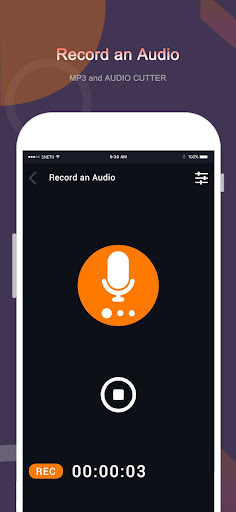
2. Record new audios and cut, combine, mix them to make ringtones.
3. Use the built-in file browser to find and open music.
4. Use third-party apps to scan, find and open music.
5. The millisecond-level timeline can be specified.
6. Converting audios from mp3, wav, ogg, m4a, aac, flac, etc to mp3, wav, m4a and acc.(Could vary according to your phone codec)
7. Converting videos from avi, mp4, 3gp, mkv, asf, flv, wmv, mpg, etc to mp3, wav, m4a and acc. (Could vary according to your phone codec)
8. Set the produced audio file as default ringtone, notification or assign it to a contact.
9. Decode and display the audio as a waveform view, make it easy to edit.
10. Zoom in or zoom out the audio view, make it easy to manage the timeline.
11. Using two sliding bars to control the start point and endpoint of a ringtone.
12. Providing multiple cutting options, you can save the selected section or remove the selected section of audio.
13. Supporting multiple options for bitrates when making ringtones.
14. Adding a fade-in effect to the audio.
15. Adding a fade-out effect to the audio.
16. Increasing the volume of the selected section of the audio.
17. Decreasing the volume of the selected section of the audio.