Helios File Manager

Helios File Manager Summary
Helios File Manager is a ad-supported, with in-app purchases Android app in Tools by Brandon Stecklein. Released in Nov 2013 (12 years ago). It has about 660.7K+ installs and 3.6K ratings with a 4.02★ (good) average. Based on AppGoblin estimates, it reaches roughly 1.7K monthly active users and generates around $<10K monthly revenue (28% IAP / 72% ads). Store metadata: updated Dec 8, 2025.
Recent activity: 41 installs this week (158 over 4 weeks) showing steady growth , and -2 new ratings this week View trends →
Store info: Last updated on Google Play on Dec 8, 2025 .
4.02★
Ratings: 3.6K
Screenshots

App Description
Take control of your file system with Helios File Manager.
Helios file manager, formerly known as File Browser, is an all encompassing file management solution from Ape Apps. Helios contains an ever expanding list of features, while striving to maintain a clean simplistic look and feel. Helios is a file manager for beginners and advanced users alike. Features include:
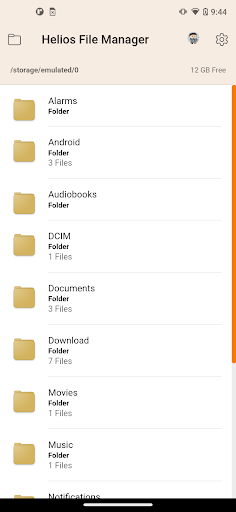
- Standard file browsing and management features, including SD card and root directory support.
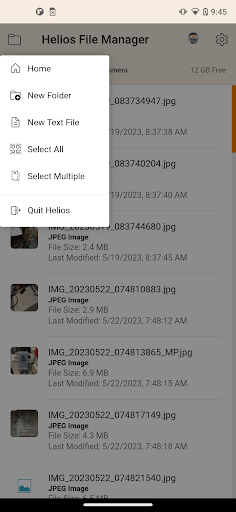
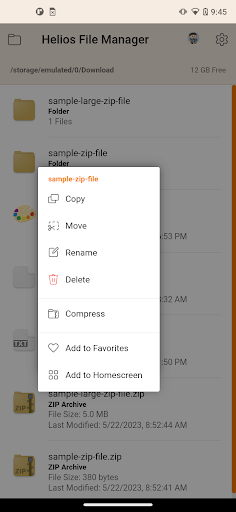
- Copy, move, delete, and rename single files, or batch process multiple files at once with the multi select feature.
- Send files to your favorite cloud storage services such as Dropbox, Google Drive, and Microsoft OneDrive
- Enjoy Samsung Multiwindow support. Requires a multiwindow capable device such as the Galaxy S3, Galaxy Note, or other. Only Samsung devices currently support the multi window feature.
- Show or hide hidden files.
- Manage your files and external sd card with ease.
- Choose between file list mode or grid view mode.
- Display graphic thumbnails on image files.
- Pin a homescreen shortcut to any file or folder on your system for quick and easy access
- Now supports .zip file extraction. You can read and extract data from any zip file, right from within the app!
- Noteastic support: Create new Noteastic Notepad note files right from within the app.
- Full fledged text editor: Helios now lets you create and edit txt, html, js, css, and xml files from within the app. You can even launch the text editor from the home screen. It even has printing capabilities!
I am constantly improving my apps, so if you have any suggestions on how to make Helios File Manager better, please send me an e-mail or join the support community (link can be found within the app menu). This app is for you guys, so help make Helios the best file management package on the market!