SmartProject iPMS


SmartProject iPMS Summary
SmartProject iPMS is a mobile Android app in Business by WRENCH Solutions (P) Limited. Released in Apr 2023 (2 years ago). It has about 178+ installs Based on AppGoblin estimates, it reaches roughly 19 monthly active users . Store metadata: updated Dec 17, 2025.
Store info: Last updated on Google Play on Dec 17, 2025 .
0★
Ratings: 0
Screenshots


App Description
Welcome to WRENCH SmartProject-Beta mobile application.
WRENCH SmartProject is the world's most effective engineering and construction project control and EDMS solution, providing an integrated platform for the smooth digital transformation of the project delivery process, including quality management, collaboration, and information management.
WRENCH SmartProject mobile application permits you to access the application from wherever you are provided you are connected to the net.
Why WRENCH Mobile App?
Modern engineering projects, especially the infrastructure and construction projects have distributed and simultaneous project execution, involving separate project teams working across different geographies. This adds challenges in letting people access project information from a variety of devices such as desktop PCs, mobile devices and even the devices of the IOT class. WRENCH mobile application permits you to access the application from wherever you are provided you are connected to the net. WRENCH Mobile App is intended to be used on various hand held devices in a distributed project management environment.
Once you log in successfully main screen is displayed. In the main screen frequently used folders will be available and various functions are available for you to choose from. Different operations can be carried out selecting these functions.
You can carry out the following operations using WRENCH Mobile App.
• Send Documents and Task to different resources
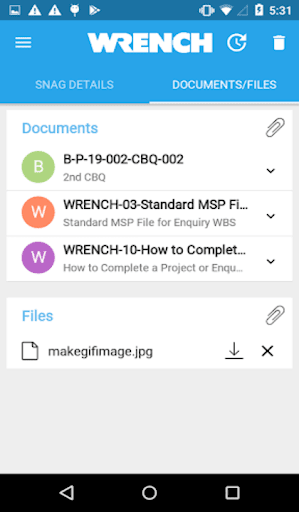
• Add documents and images
• Attach comments
• Download and View Comments
• Link and refer documents to tasks
• Update progress of task
• Search and download documents
• Search and retrieve tasks
The following options are available in the main screen.
Task: When this option is pressed list of task smart folders available in the device is displayed.
Document: When this option is pressed list of document smart folders available in the device is displayed.
Search: When this option is pressed Search window is displayed. Documents or Tasks can be searched from this window.
Settings: On pressing this option settings screen is displayed.
Help: When this option is pressed support page of the application is displayed. You can obtain help in carrying out different operations from this page.
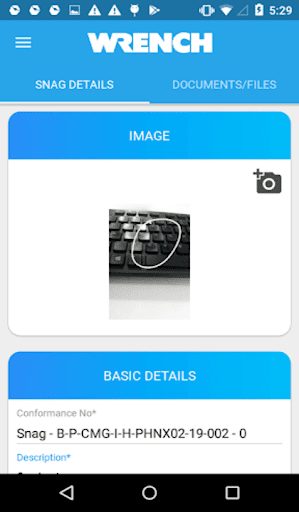
Snag: When this option is pressed list of projects available in the device is displayed.
Work as One: Press this option to launch WRENCH S