App Lock Password & Lock Apps


App Lock Password & Lock Apps Summary
App Lock Password & Lock Apps is a ad-supported, with in-app purchases Android app in Personalization by Galaxy studio apps. Released in Feb 2023 (3 years ago). It has about 3.6M+ installs and 15K ratings with a 4.37★ (good) average. Based on AppGoblin estimates, it reaches roughly 92.1K monthly active users and generates around $10K+ monthly revenue (78% IAP / 22% ads). Store metadata: updated Sep 20, 2024, version 75.
Recent activity: 37.9K installs this week (287.3K over 4 weeks) showing exceptional growth , and 324 new ratings this week View trends →
Advertising: AppGoblin detected 1.00 monetized ad creatives shown inside the app.
Data tracking: SDKs and third-party integrations were last analyzed on Apr 7, 2026. The app's network data flows (API traffic to/from the app and its SDKs) were last crawled on Jun 18, 2025.
Store info: Last updated on Google Play on Sep 20, 2024 (version 75).
App Lock Password & Lock Apps was last scanned for SDKs 2026-04-07. Below is the overview of third party companies detected in the app. The full list of raw SDKs, app permissions and unknown SDKs is available here.
 AppLovin
 Google
 Facebook
 Yandex
 Square
 Airbnb Engineering
 Bumptech
 AdMob
AdMob Yandex Metrica
 Firebase
4.37★
Ratings: 15K
Screenshots


App Description
Applock password lock apps with pattern lock for whatsapp lock & phone lock
App Locker: Phone Lock – Secure Your Apps with Ease!
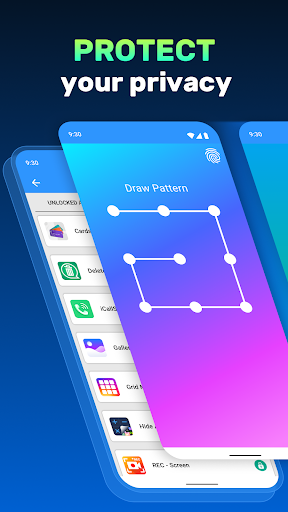
Keep your apps, photos, and private data safe with App Locker: Phone Lock. This powerful tool allows you to secure apps, folders, and galleries with various methods like pin, pattern, or fingerprint. Whether securing sensitive apps or protecting your private photos, the Folder Locker App: Pattern Lock ensures your data is guarded against unwanted access. With the Photo Locker Password App, you can safeguard everything with one touch.Your privacy is our priority! Lock apps with password protection and enjoy peace of mind, knowing that the App Password Locker and Fingerprint features will keep your data secure.
📄 App Locker Key Features:📄
🔒 App Locker: Phone Lock – Secure apps and secure your phone with a pin, pattern, or password;
🔒 Folder Locker App: Pattern Lock – Secure specific folders and apps with an easy-to-use pattern;
🔒 Photo Locker Password App – Protect your photos with secure password protection;
🔒 Gallery Lock Password Tool – Secure your photo gallery to protect your private moments;
🔒 Applocker: Pink Lock – Stylish options to match your phone’s aesthetic;
🔒 Lock Apps With Password – Secure your apps using a secure password or pin;
🔒 App Password Locker and Fingerprint – Use your fingerprint for faster and more secure app security.
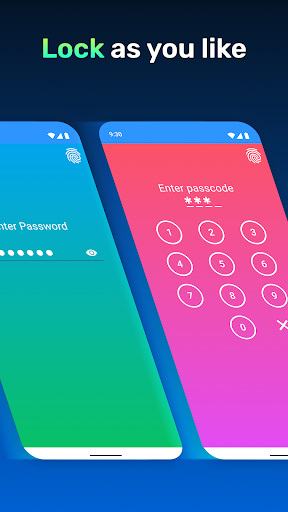
Pin, Pattern, or Fingerprint – Choose Your Locking Style:
The App Locker: Phone Lock offers various methods to fit your needs. Applocker: Pink Lock protection, or opt for the Folder Locker App: Pattern Lock if you prefer drawing a pattern. With the Photo Locker Password App, you can quickly secure your gallery and private photos with a strong password, ensuring your data remains hidden from prying eyes.Lock System Apps with One Touch:
The Gallery Lock Password Tool lets you lock system apps like your gallery, contacts, and settings. Use the Folder Locker App: Pattern Lock to secure folders containing sensitive data, and protect all your essential apps with the App Locker: Phone Lock.
Lock Social Media and Messaging Apps:
Quickly secure apps like messaging and social media platforms. The App Locker: Phone Lock helps you lock apps with password, pin, or pattern protection, keeping your chats and private messages secure. Whether for privacy or security, the Fold