Image to PDF Converter – JPG


Image to PDF Converter – JPG Summary
Image to PDF Converter – JPG is a ad-supported Android app in Tools by Appora - Smart Apps. Simplified.. Released in Jan 2026 (5 months ago). It has about 11+ installs Based on AppGoblin estimates, it reaches roughly 1.00 monthly active users and generates around $<10K monthly revenue (0% IAP / 100% ads). Store metadata: updated Jan 16, 2026.
Store info: Last updated on Google Play on Jan 16, 2026 .
0★
Ratings: 0
Screenshots


App Description
Image to PDF Converter to create PDF from photos, JPG and PNG images
Image to PDF Converter – Create PDF from Images
Image to PDF Converter helps you convert images to PDF quickly and easily. With this image to PDF converter, you can create PDF files from photos, JPG, PNG, and other image formats in just a few taps. The app is designed to make image to PDF conversion simple, fast, and reliable for everyday use.
Whether you want to convert image to PDF for documents, receipts, screenshots, or scanned photos, this image to PDF converter gives you clean and high-quality PDF output without complicated steps.
What this Image to PDF Converter can do
• Convert images to PDF instantly
• Create PDF from photos, JPG, PNG, and JPEG files
• Combine multiple images into one PDF file
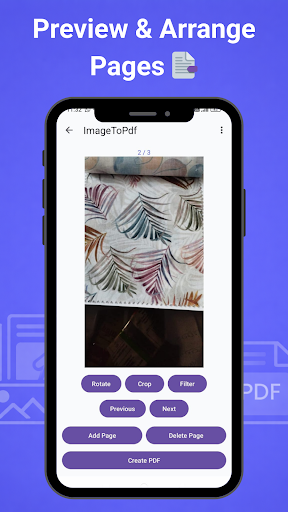
• Arrange and reorder pages before creating PDF
• Maintain original image quality in the PDF
• Open, share, or send PDF files easily
This image to PDF converter works completely offline, so your images and PDF files stay on your device.
Photo to PDF converter for daily use
This photo to PDF converter is useful for many everyday tasks:
• Convert photos to PDF for work or school
• Create PDF files from scanned images
• Save receipts, bills, and documents as PDF
• Convert screenshots into a PDF document
• Share image-based files in PDF format
With this image to PDF app, you can quickly turn images into organized PDF files.
Key features of Image to PDF Converter
• Simple and clean interface
• Fast and accurate image to PDF conversion
• Supports multiple image formats
• Offline PDF creation without internet
• Lightweight and smooth performance
• No unnecessary permissions required
Privacy and security
Your privacy is important. All image to PDF conversion happens locally on your device. This image to PDF converter does not upload, store, or share your images or PDF files on any server.
Why use Image to PDF Converter
• Easy image to PDF creation
• Reliable photo to PDF conversion
• Works offline anytime
• Designed for everyday productivity
If you need a simple and reliable image to PDF converter, this app helps you convert images to PDF quickly and securely.
Convert images to PDF easily. Create high-quality PDF files anytime with Image to PDF Converter.