PomoDone: Pomodoro Timer


PomoDone: Pomodoro Timer Summary
PomoDone: Pomodoro Timer is a with in-app purchases Android app in Productivity by Armağan Gök. Released in Jun 2024 (1 year ago). It has about 12.6K+ installs and 229 ratings with a 4.13★ (good) average. Based on AppGoblin estimates, it reaches roughly 1.2K monthly active users and generates around $<10K monthly revenue (100% IAP / 0% ads). Store metadata: updated May 29, 2026.
Recent activity: 86 installs this week (370 over 4 weeks) showing steady growth , and 2.00 new ratings this week View trends →
Store info: Last updated on Google Play on May 29, 2026 .
4.13★
Ratings: 229
Screenshots


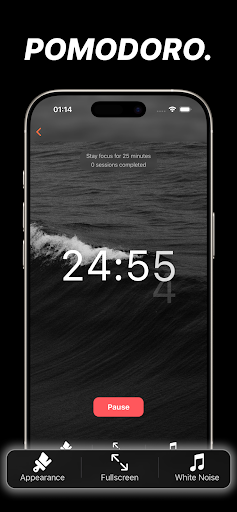

App Description
Pomodoro Timer, Focus Timer, Pomodoro Technique, Study Timer, Pomodoro App
Why use this Pomodoro Timer
Beat procrastination and get more done with a professional pomodoro timer that keeps you in deep focus time. Whether you call it a pomodoro, a promodoro, a tomato timer, or a pomodoro focus timer, this focus app and productivity timer helps you stay consistent with time management. If you’ve tried other focus apps or a focus timer and want something that just works, this is your clean, reliable choice.
Who it’s for?
Students and lifelong learners who need a study timer for structured study time and better study focus—grow your study tree session by session. Professionals who want disciplined time management for complex tasks and creative work. Remote workers who benefit from an accountability rhythm—bring your own focus mate or go solo and be focused. Teams who already use a kanban board can layer focus cycles over their pipeline. Anyone who wants practical, repeatable time management throughout the day.
What you get?
- Powerful yet simple session flow you already know from tools like focus keeper, pomofocus, toggle (you can toggle work/break instantly), and be focused—familiar, fast, and frictionless.
- Flexible planning: create tasks in a task app style with a task list, things to do list, or checklist to do task lists—works great with a kanban board workflow.
- Organize your day: use it as a to do list task manager, a task tracker, and a day planner for clear time blocks.
- For list lovers: maintain checklist to do task lists and a daily task manager to do list for every goal.
- Prefer explicit formats? You can even structure a daily task manager: to do list to match your routine.
- All-in-one workflow for tasks and focus to do so your time management stays consistent across work and study.
How it works?
Set your session length, press Start, and the app guides your focus timer and breaks to maximize productivity timer benefits. Stay present during focus time, review completed tasks after each cycle, and iterate for continuous time management improvements—simple, effective, repeatable.