Checkbook - Account Tracker


Checkbook - Account Tracker Summary
Checkbook - Account Tracker is a free, ad-supported, with in-app purchases Android app in Finance by TinyWork Apps. Released in Jul 2015 (11 years ago). It has about 312K+ installs and 9.3K ratings with a 3.65★ (average) average. Based on AppGoblin estimates, it reaches roughly 3.3K monthly active users and generates around $<10K monthly revenue (33% IAP / 67% ads). Store last updated Aug 11, 2026
Recent activity: 188 installs this week (671 over 4 weeks) showing steady growth View trends →
SDK intelligence: AppGoblin detected 6 development tools(e.g. Google), 3 ad networks, 1 analytics: attribution, 1 mediation,and 1 analytics: product integrated into Checkbook - Account Tracker. View full SDK list →
Data tracking: The app's network data flows (API traffic to/from the app and its SDKs) were last crawled on Jun 6, 2025.
Checkbook - Account Tracker SDKs Summary
Checkbook - Account Tracker was last scanned for SDKs on 2026-08-29. Below is the overview of third-party companies detected in the app. The full list of SDKs, permissions and unknowns is available here.
 Google
 Facebook
 Flurry
 Square
 Kotlin
 JetBrains
 AppsFlyer
 AdMob
AdMob Firebase
3.65★
Ratings: 9.3K
Screenshots


App Description
Checkbook - A replacement of your paper checkbook register.
An easy & quick way to manage your daily finances! Checkbook keeps track of your credit card charges, cash expenditures...etc. With the Checkbook application, it can totally replace your paper checkbook register. You can create multiple accounts with a start balance, save recurring transactions, transfer funds, view reports & graphs, export data...etc. You can even search for the transaction by crossing your finger on the calendar! All details of the Checkbook are well designed to provide an excellent experience. And, Produced by Polycents
FEATURES
*Export your ledger in CSV Format
*Calendar
-Show all your monthly transactions as points on the calendar.
-Track transactions by tapping a date on the calendar.
*Recurring Transactions
-Save a transaction to be used repeatedly(daily, weekly, 2 weeks, monthly, tire monthly), without retyping all the details.
*Multiple Accounts
-Track as many accounts as you need.
*Categories
-Supports multiple categories with beautiful icons to choose from.
*Payee & Note
-All details you need to keep track of your transactions are including.
*Search
-Quickly search for transactions by account name, payee, notes, and category.
-Search and edit transactions on the same screen.
*Transfer
-Transfer funds from one account to another.
*Reconcile Transactions
-Reconcile your transactions by editing cleared/un-cleared status
*Reports & Charts
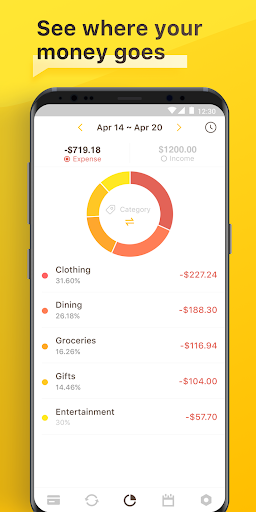
-Review all your expenses & income by category or account with beautiful graphs and reports.
-You can set the time period to daily, weekly, monthly & yearly.
*Passcode
-Protects your private information.
*Currency
-Supports multiple currencies.
*Elegant, Powerful & User-friendly interface
If your have any problems or suggestions please send a mail to checkbook.a@appxy.com, you will get the response in a short time.
The free version is an ad-supported version, we also offer an ad-free version which is available as an in-app purchase.
Permissions Overview:
1. Storage: Checkbook needs this permission to store the backup file on your device
2. Contact: Checkbook needs this permission to read your Google account when you choose to save the backup file to your Google Drive
3. Camera: Checkbook needs this permission to use the camera to scan docs.
Follow us on Twitter: @Appxy_official
Like us on Facebook: A