Site Capture: Inspection App


Site Capture: Inspection App Summary
Site Capture: Inspection App is a free, with in-app purchases Android app in Productivity by Andrés Solano. Released in Aug 2026 (3 months ago). It has about 43+ installs Based on AppGoblin estimates, it reaches roughly 5.00 monthly active users and generates around $<10K monthly revenue (100% IAP / 0% ads). Store last updated Nov 25, 2026
Recent activity: 1.00 installs this week (7.00 over 4 weeks) showing steady growth View trends →
Site Capture: Inspection App SDKs Summary
App not yet scanned for SDKs.
0★
Ratings: 0
Screenshots



App Description
Offline building inspection app: photos file to assets as you capture.
Four professional inspection templates are included at no cost: Construction Inspection, Home Inspection, Building Condition Assessment and Accessibility Assessment. Start a project, walk the site, and every photo is filed against the item it shows, with its data captured alongside. Export the PDF report and the spreadsheet, and share them before you leave.
FOUR TEMPLATES, INCLUDED
• Construction Inspection: 177 checks across 19 phases in build order, from site preparation to closeout, grouped by MasterFormat division. Each says what to check, its common deficiencies and the responsible trade, and 87 are flagged as hold points.
• Home Inspection: 181 items across 9 areas, from foundations to attics, each with what to inspect for and its typical defects.
• Building Condition Assessment: 285 building assets organised by UNIFORMAT system, each with its useful life and unit price.
• Accessibility Assessment: 194 items across 15 areas, from parking to washrooms, each with the requirement, the typical barriers and what to measure.
All four open on the free version, with unlimited projects and photos and full export.
CAPTURE ON SITE
• A camera built for inspections: switch categories from a side rail and keep shooting.
• Quick shot: switch to Q and the shutter just shoots, with no review between photos.
• File each photo as you take it, or leave it unfiled and sort it later.
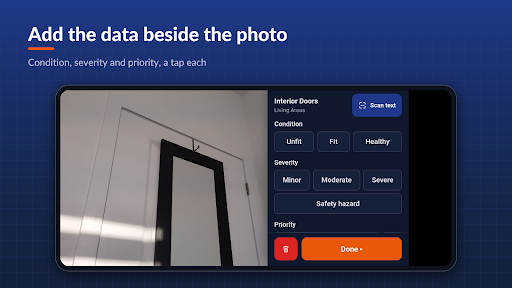
• Each item brings its own data: its common deficiencies become the choices for that photo, and its trade or unit price fills the field.
• Nothing to photograph? Fill in the item's summary anyway; it still goes into both reports.
• Set a field to calculate and it works out as you type: a cost from quantity and unit price, or the years of life remaining.
• Scan text reads a label or nameplate straight into a field, on the device.
• Camera or gallery photos, front and rear cameras, zoom, torch and optional GPS.
• Works offline. Everything is stored on your phone, with no account or sign-in.
MARK UP A PHOTO
• Draw, box, circle, arrow and caption.
• Set a scale from a known length, then measure anything else in the photo.
• Crop and rotate. The original photo is never overwritten.
REPORTS
• PDF report: a cover, your project information, your general notes, and every item with the photos you chose for it.
• Excel report: a row per photo and a row per item. Costs and quantities arrive as numbers, ready to total.
• Share the report straight to WhatsApp, email or any app on your phone.
• Map file with one pin per item, to open in Google Earth.
STAY ORGANISED
• Group projects and tag them by colour.
• File photos into folders by category, item or any field.
• Asset Match, an optional AI photo sorter, suggests which item an unfiled photo belongs to.
• Use the app in English or Spanish. In Spanish it comes with three Spanish templates of its own.
WITH A LICENCE
• Your branding on the PDF report: your colours, your logo, your cover title and a footer with your details.
• Your own templates: build them from an Excel file (an example is included) or import them from the desktop Auditor app.
Both need a Site Capture subscription (monthly or yearly) or your desktop Auditor licence key. Capture and export are the same on every version.
YOUR DATA
Everything you capture is stored on your device. There are no ads, no analytics and no trackers, and nothing is collected in the background. You choose when and where to export.
Two optional features use the internet, and only at the moment you tap them: Asset Match sends the photo being matched to Google's Gemini API using an API key you supply, and Search with Google Lens hands a photo to the Google app. Everything else in the app works with no signal.
Full privacy policy: https://soanfe90.github.io/sitecapture-privacy/privacy-policy.html
Data also available via the AppGoblin MCP and API (/api/v1/apps/{store_id}).