WiFi Refresh & Signal Alert

WiFi Refresh & Signal Alert Summary
WiFi Refresh & Signal Alert is a ad-supported, with in-app purchases Android app in Tools by B01T Apps. Released in Oct 2022 (3 years ago). It has about 181.1K+ installs and 1K ratings with a 3.94★ (average) average. Based on AppGoblin estimates, it reaches roughly 9.9K monthly active users and generates around $<10K monthly revenue (44% IAP / 56% ads). Store metadata: updated Jul 16, 2025.
Recent activity: 1.2K installs this week (4.9K over 4 weeks) showing steady growth , and 7.00 new ratings this week View trends →
Store info: Last updated on Google Play on Jul 16, 2025 .
3.94★
Ratings: 1K
Screenshots

App Description
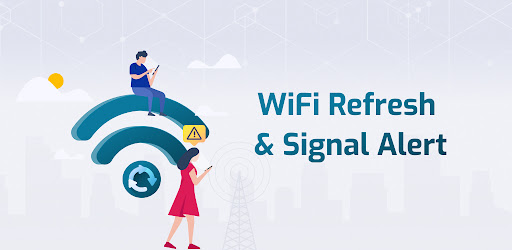
Manage your WiFi & network connection, also get all network information.
Refresh your WiFi connection whenever you need with by checking all security steps. It also has a WiFi scanner, which gives you a network alert, checking the strength of the network & will give you information about data usage.
App Features:
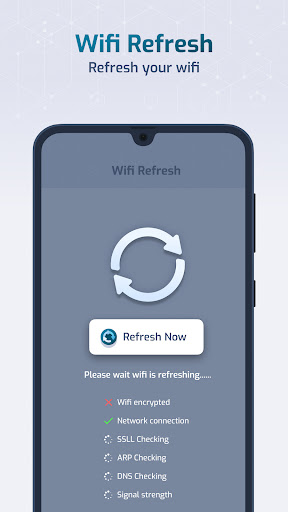
1). WiFi Refresh: - Refresh your WiFi network to help speed up your network speed.
- Also check WiFi encrypted or not, network connection, DNS checking & signal strength.
- Get information like DNS1, DNS2, Netmask, DHCP server, Gateway, Signal strength, Link speed, Frequency, RSSI, IP Address, MAC address.
2).WiFi scanner:
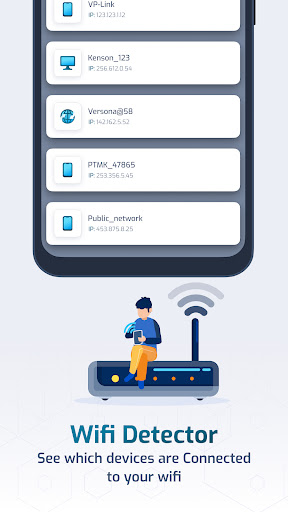
- WiFi detector: Get to know how user's are using your WiFi connection.
2). WiFi scan: Scan nearby available WiFi connections & their information like frequency, signal strength, channel number, signal health, secure connection, etc.
3). Network Alerts: Get alerts for No service, Roaming, Low signal or no data connections. Also you can set specific time for alerts.
4). Signal strength: Get information about your current connected WiFi signal strength or SIM mobile data usage.
- Network Info: Get details like connected network name, channel number, frequency, signal strength, access point, link speed, 5GHZ Band, IP address, MAC address, Gateway, Router MAC, DNS1, DNS2, DHCP server.
- SIM Info: Get details like SIM name, network info for LTE or 5g, signal strength and more.
5). Data Usage: Monitor app data usage & also get data usage reports for daily, weekly, last 30 days or custom.
**Permission**
Read Phone state : To show sim card info and check network type of data connection
Location : To show connected WiFi info, signal strength and scan available WiFi devices.
Query All Packages : We require the QUERY_ALL_PACKAGES permission to retrieve the application list from device and show WiFi and Mobile data usage of applications to the user.