DIGITAL CLOCK SHG2 LITE
ASO Keyword Dashboard
Tracking 91 keywords for DIGITAL CLOCK SHG2 LITE in Google Play

DIGITAL CLOCK SHG2 LITE tracks 91 keywords (no keywords rank yet; 91 need traction). Key metrics: opportunity 70.4, difficulty 48.4.
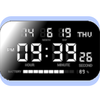
This app is a simple digital clock. Customization is also possible.
Tracked keywords
91
0 ranked • 91 not ranking yet
Top 10 coverage
—
Best rank — • Latest leader —
Avg opportunity
70.4
Top keyword: volume
Avg difficulty
48.4
Lower scores indicate easier wins
Opportunity leaders
- 65.9
volume
Opportunity: 74.0 • Difficulty: 50.5 • Rank —
Competitors: 1,033
- 62.7
charging
Opportunity: 74.0 • Difficulty: 39.8 • Rank —
Competitors: 317
- 63.6
confirm
Opportunity: 74.0 • Difficulty: 45.3 • Rank —
Competitors: 388
- 63.3
consumption
Opportunity: 74.0 • Difficulty: 40.2 • Rank —
Competitors: 320
- 65.4
speech
Opportunity: 74.0 • Difficulty: 57.0 • Rank —
Competitors: 618
Unranked opportunities
volume
Opportunity: 74.0 • Difficulty: 50.5 • Competitors: 1,033
charging
Opportunity: 74.0 • Difficulty: 39.8 • Competitors: 317
confirm
Opportunity: 74.0 • Difficulty: 45.3 • Competitors: 388
consumption
Opportunity: 74.0 • Difficulty: 40.2 • Competitors: 320
speech
Opportunity: 74.0 • Difficulty: 57.0 • Competitors: 618
High competition keywords
time
Total apps: 385,850 • Major competitors: 16,372
Latest rank: — • Difficulty: 58.7
download
Total apps: 332,448 • Major competitors: 15,780
Latest rank: — • Difficulty: 56.8
make
Total apps: 328,331 • Major competitors: 18,397
Latest rank: — • Difficulty: 59.0
simple
Total apps: 254,597 • Major competitors: 11,043
Latest rank: — • Difficulty: 55.8
play
Total apps: 206,179 • Major competitors: 18,547
Latest rank: — • Difficulty: 62.1
All tracked keywords
Includes opportunity, difficulty, rankings and competitor benchmarks
| Major Competitors | |||||||
|---|---|---|---|---|---|---|---|
| download | 65 | 100 | 57 | 88 332,448 competing apps Median installs: 1,713 Avg rating: 1.9 | — | — | 15,780 major competitor apps |
| play | 66 | 100 | 62 | 85 206,179 competing apps Median installs: 6,324 Avg rating: 2.2 | — | — | 18,547 major competitor apps |
| action | 71 | 100 | 58 | 73 38,468 competing apps Median installs: 5,314 Avg rating: 2.2 | — | — | 3,544 major competitor apps |
| music | 69 | 100 | 59 | 78 74,263 competing apps Median installs: 2,296 Avg rating: 2.0 | — | — | 4,268 major competitor apps |
| 69 | 100 | 50 | 77 69,207 competing apps Median installs: 2,082 Avg rating: 2.0 | — | — | 2,885 major competitor apps | |
| change | 68 | 100 | 53 | 79 90,292 competing apps Median installs: 3,556 Avg rating: 2.1 | — | — | 5,880 major competitor apps |
| page | 72 | 100 | 48 | 71 28,233 competing apps Median installs: 2,833 Avg rating: 2.0 | — | — | 1,478 major competitor apps |
| make | 65 | 100 | 59 | 88 328,331 competing apps Median installs: 2,060 Avg rating: 2.0 | — | — | 18,397 major competitor apps |
| whether | 66 | 100 | 54 | 84 193,364 competing apps Median installs: 889 Avg rating: 1.8 | — | — | 6,940 major competitor apps |
| digital | 68 | 100 | 52 | 81 123,675 competing apps Median installs: 795 Avg rating: 1.7 | — | — | 4,256 major competitor apps |
| date | 68 | 100 | 53 | 79 92,766 competing apps Median installs: 717 Avg rating: 1.8 | — | — | 2,732 major competitor apps |
| setting | 72 | 100 | 51 | 70 23,328 competing apps Median installs: 3,053 Avg rating: 2.1 | — | — | 1,230 major competitor apps |
| file | 72 | 100 | 60 | 71 28,900 competing apps Median installs: 4,450 Avg rating: 2.1 | — | — | 2,184 major competitor apps |
| list | 69 | 100 | 53 | 78 82,336 competing apps Median installs: 1,975 Avg rating: 1.9 | — | — | 3,302 major competitor apps |
| option | 70 | 100 | 50 | 74 47,349 competing apps Median installs: 2,276 Avg rating: 2.0 | — | — | 2,355 major competitor apps |
| time | 64 | 100 | 59 | 89 385,850 competing apps Median installs: 1,264 Avg rating: 1.9 | — | — | 16,372 major competitor apps |
| volume | 74 | 100 | 51 | 66 13,795 competing apps Median installs: 5,015 Avg rating: 2.2 | — | — | 1,033 major competitor apps |
| operation | 73 | 100 | 44 | 68 17,431 competing apps Median installs: 1,979 Avg rating: 1.8 | — | — | 683 major competitor apps |
| task | 72 | 100 | 52 | 69 22,246 competing apps Median installs: 1,276 Avg rating: 1.9 | — | — | 1,077 major competitor apps |
| directly | 67 | 100 | 53 | 81 128,611 competing apps Median installs: 871 Avg rating: 1.8 | — | — | 4,105 major competitor apps |
| function | 71 | 100 | 48 | 73 37,128 competing apps Median installs: 3,006 Avg rating: 1.9 | — | — | 1,823 major competitor apps |
| reading | 70 | 100 | 48 | 75 51,337 competing apps Median installs: 3,065 Avg rating: 2.0 | — | — | 1,866 major competitor apps |
| start | 66 | 100 | 57 | 84 198,800 competing apps Median installs: 2,321 Avg rating: 2.0 | — | — | 11,826 major competitor apps |
| power | 69 | 100 | 54 | 77 67,148 competing apps Median installs: 2,001 Avg rating: 2.0 | — | — | 3,794 major competitor apps |
| notification | 70 | 100 | 49 | 74 43,996 competing apps Median installs: 1,279 Avg rating: 1.9 | — | — | 1,897 major competitor apps |
App Description
This app is a simple digital clock. Customization is also possible.
If you input your questions, bug reports or complaints in review form, it isn't notified developer. Please email directly (y2prom@gmail.com).
■Please inform us about the bug report by e-mail.
【How to use】
● Alarm setting
1. Select the alarm task from the alarm list and open the alarm setting.
2. Set the time to sound the alarm with the [Alarm time].
3. At [Alarm sounds], select the music file to sound at the alarm time.
4. [Vibration], you can select vibration action at alarm.
5. In the [Snooze time], you can set the time when the alarm sounds again.
6. At [Alarm volume], set the volume at alarm time.
7. At [Alarm day], Alarm operation date can be set for each day of the week.
8. To enable the alarm, please turn on the button on the left side of the alarm list.
9. The low power consumption function of Android may invalidate the alarm. After setting the alarm, please confirm whether automatic start of this application is not invalid.
● Setting the notification sound
〇 Setting of time signal sound
From the option button, select the Notification sound -> Time signal.
1. From [Sound type], select OFF, Sound, or Speaking.
2. If you select the sound, it will play a sound at 0 minutes per hour.
3. If you select the speaking, it will say the current time at 0 minutes per hour.
4. In the official version, you can change the type of sound from [Sound Select].
5. In the official version, you can restrict playing sound time at [Enable sound or speak per hour].
〇 Setting of charging completed sound
From the option button, select notification sound -> charge completed.
1. From [Sound type], select off, sound, or speech.
2. If you select the Sound, it will be played a sound when charging is completed.
3. If you select the Speaking, it will be played ""Charging was completed"" when charging is completed.
4. In the official version, you can change the sound from the sound selection.
○ Setting of TTS
To use the reading function, please set TTS. This application supports the Google text-to-speech engine. If other TTS engine is set, reading may not be performed normally.
1. From [TTS setting], you can open the TTS setting in Android system settings. Please make sure that the Google text-to-speech engine is set up.
2. From [TTS Download], open the download page of the Google text-to-speech engine. Please d
