Wifi Hotspot, Personal Hotspot

Wifi Hotspot, Personal Hotspot Summary
Wifi Hotspot, Personal Hotspot is a ad-supported, with in-app purchases Android app in Tools by BaseApp Global. Released in May 2024 (2 years ago). It has about 10.3K+ installs Based on AppGoblin estimates, it reaches roughly 372 monthly active users and generates around $<10K monthly revenue (27% IAP / 73% ads). Store metadata: updated Nov 26, 2024.
Store info: Last updated on Google Play on Nov 26, 2024 .
0★
Ratings: 0
Screenshots


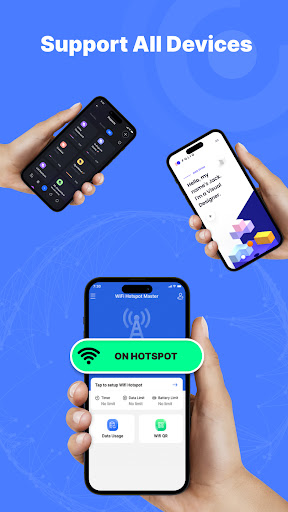
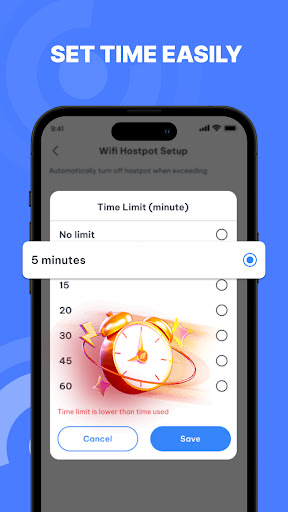
App Description
Wifi Hotspot Personal Hotspot: turn your phone into a personal hotspot
Wifi Hotspot, Personal Hotspot: A top choice to take advantage of free WiFi networks, providing wifi hotspot, personal hotspot and mobile hotspot free efficiently and conveniently.
How Wi-Fi Hotspots Work:
📲 Wifi Hotspot, Personal Hotspot is a great wifi hot spot free that helps you make the most of your Wi-Fi and wifi hotspot connection from your mobile device to many different devices.
To create a Wi-Fi hotspot, you will need a device that has a Wi-Fi adapter. This could be a smartphone, tablet, laptop, or even a router.
Features of Wifi Hotspot
- Easily turn your smartphone into free hotspot with just one touch. Immediately activate wifi mode to create free wifi hotspot using 3G, 4G or 5G network.
- Quick and easy control of activation/deactivation personal hotspot free. Simply press the START or STOP button to turn it on or off wifi hot spot free.
- Compatibility with popular smartphone brands such as Samsung, HTC, Xiaomi, Huawei, etc. to wifi hotspot
- Test your WiFi network speed using the built-in speed test feature.
- Explore available WiFi networks in your vicinity using app personal hotspot.
- Seamlessly share your internet connection with friends and other devices quickly and conveniently with the app Wifi Hotspot, Personal Hotspot
How to Use Wifi Hotspot, Personal Hotspot 🔥
✅ Step 1: Open the Mobile Hotspot Free application.
📶 Step 2: Select the hotspot feature to create a free Wifi hotspot for other devices.
⚙️ Step 3: Configure your personal hotspot settings such as data limit, time limit, and battery limit when using the Wifi hotspot.
🚀 Step 4: Press "Start" to activate your free hotspot
🔻 Download Personal Hotspot today and experience the convenience of sharing your internet connection with surrounding devices.
Internet icons created by Roundicons - Flaticon