Basemark GPU


Basemark GPU Summary
Basemark GPU is a mobile Android app in Productivity by Basemark. Released in Jun 2018 (7 years ago). It has about 93.9K+ installs and 282 ratings with a 3.54★ (average) average. Based on AppGoblin estimates, it reaches roughly 26.2K monthly active users . Store metadata: updated Sep 27, 2022.
Recent activity: 25K installs this week (26.5K over 4 weeks) showing exceptional growth View trends →
Store info: Last updated on Google Play on Sep 27, 2022 .
3.54★
Ratings: 282
Screenshots

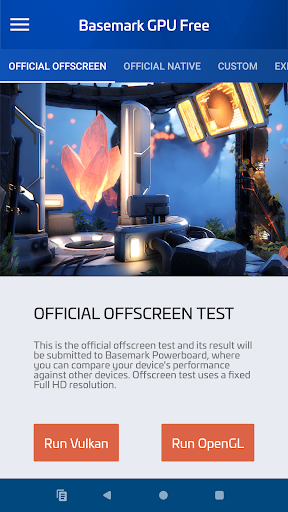


App Description
Basemark® GPU is the newest GPU performance tool on the market
Basemark® GPU is a multi-platform, multi-API 3D-graphics benchmark. It enables a comparison of the graphics performance of different smartphones and tablets. You can even compare the performance to Notebooks or PCs. This is possible because our benchmarks utilize Rocksolid®, our industrial-grade graphics & compute engine. The desktop version runs an AAA quality game-like workload by default, but also offers a test identical to the mobile version in this app.
Written in C++ and platform-independent, Rocksolid allows for truly objective and efficient multi-platform benchmarking. Basemark GPU allows the user to compare their device to others around the world. For that, this free version of the benchmark always submits test scores to the Basemark Power Board web service. If you need a Basemark GPU license for a commercial usage please contact us.
To circumvent VSync limitations on mobile devices, we render each benchmark frame off-screen and display only a miniature image of each frame on the screen. This way we can make sure that no frame is dropped, and the results are accurate. If you want to see the graphics in full glory, please choose Experience Mode.
After installation, Basemark GPU, like some games, needs to download its graphical assets. This may take a while and is crucial for the tests. If you’re on a capped mobile data plan, you may want to connect to Wi-Fi.